What's inside
Form content
2025
Employee Business Expenses
(for use only by Armed Forces reservists, qualified performing artists, fee-basis state or local government officials, and employees with impairment-related work expenses)
Attach to Form 1040, 1040-SR, or 1040-NR.
Go to www.irs.gov/Form2106 for instructions and the latest information.
Attachment
Sequence No. 129
Your name
Occupation in which you incurred expenses Social security number
Part I
Employee Business Expenses and Reimbursements
Step 1 Enter Your Expenses
Column A
Other Than
Meals
Column B
Meals
1
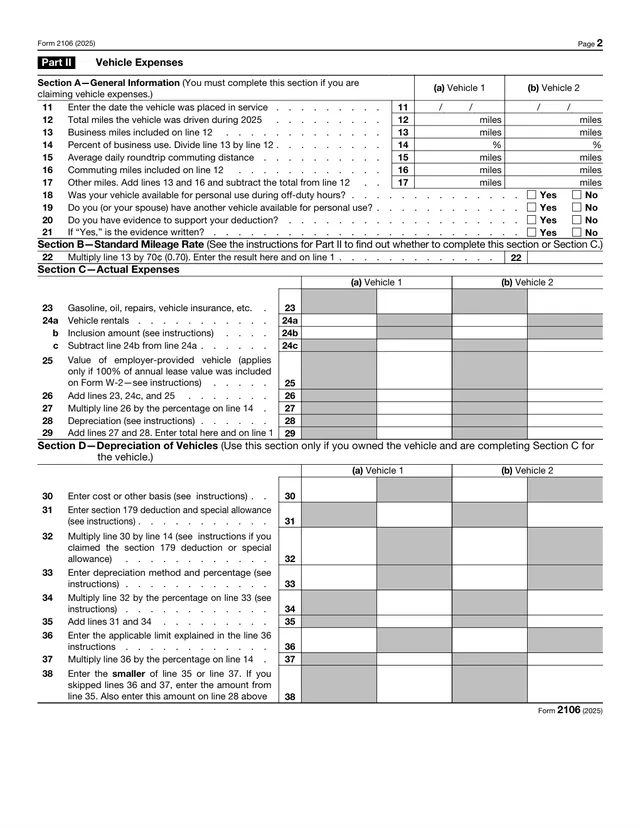
Vehicle expense from line 22 or line 29. (Rural mail carriers: See instructions.)
.
.
1
2
Parking fees, tolls, and transportation, including trains, buses, etc., that didn’t involve overnight travel or commuting to and from work
.
.
.
.
.
.
.
.
.
2
3
Travel expense while away from home overnight, including lodging, airfare, car rental, etc. Don’t include meals
.
.
.
.
.
.
.
.
.
.
.
.
.
.
.
.
.
3
4
Business expenses not included on lines 1 through 3. Don’t include meals .
.
.
4
5
Meals expenses (see instructions) .
.
.
.
.
.
.
.
.
.
.
.
.
.
.
.
.
5
6
Total expenses. In Column A, add lines 1 through 4 and enter the result. In Column
B, enter the amou
How to fill it
Fill or edit this form in MePDF
- Preview page 2 to confirm the form name and revision.
- Select Fill form to answer the form one page at a time.
- Type an answer for each field; checkboxes and choices use the form’s own options.
- Preview the finished pages, then download the flattened PDF.
- The downloaded copy is image-only, so it cannot be edited as a form again.
Keep the tax year and filing status consistent on every page. The editor keeps the original layout while you fill the existing fields.