What's inside
Form content
State of California – Franchise Tax Board
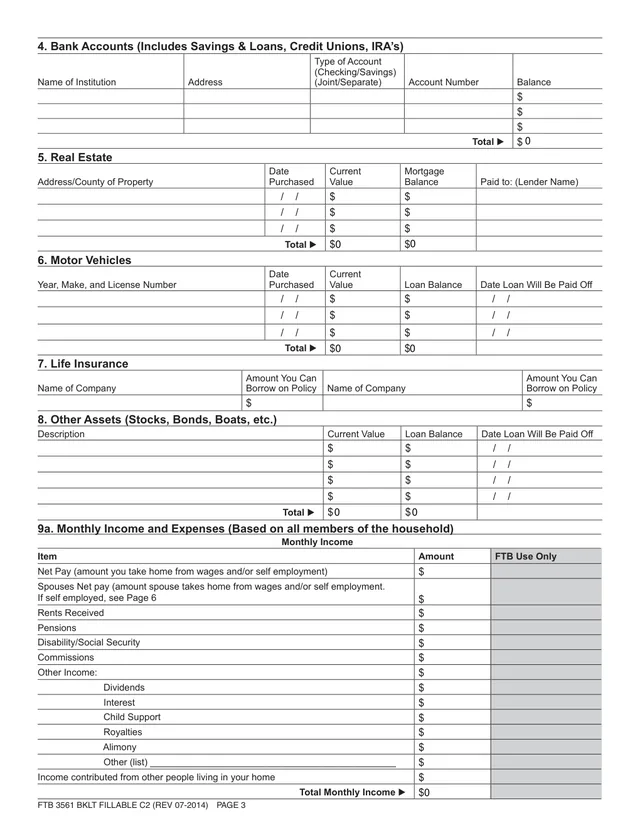
Installment Agreement Financial Statement
Please furnish the information requested on this form. It is important that all questions are answered. If you run out of space, please attach additional pages (write your name and social security number on all additional pages). All information will be verified.
1. Taxpayer Information
Name
Home Telephone Number
Work Telephone Number
( ) –
( ) –
Address
Spouse’s Work Phone Number
Personal Fax Number
( ) –
( ) –
Taxpayer’s Social Security Number
Spouse’s Social Security Number
– –
– –
City, State, ZIP
Taxpayer’s Date of Birth
Spouse’s Date of Birth
/ /
/ /
2. List all dependents and non-relatives living with you
Name
Age
Relationship
Name
Age
Relationship
3. Employment Information
Taxpayer
Employer/
Business Name: _______________________________________
Address: _____________________________________________
City, State, ZIP: ________________________________________
Employer/Business Tel Number: ( ) – _____________
Employer/Business Fax Number: ( ) – ____________
Occupation/Profession: __________________________________
How long employed: ____________________________________
Marital Status on your W-
How to fill it
Fill or edit this form in MePDF
- Preview page 2 to confirm the form name and revision.
- Select Fill form to answer the form one page at a time.
- Type an answer for each field; checkboxes and choices use the form’s own options.
- Preview the finished pages, then download the flattened PDF.
- The downloaded copy is image-only, so it cannot be edited as a form again.
Fill only the fields that apply and keep a copy of the finished PDF. The editor keeps the original layout while you fill the existing fields.