What's inside
Form content
General Business Credit
Go to www.irs.gov/Form3800 for instructions and the latest information.
You must include all pages of Form 3800 with your return.
2025
Attachment
Sequence No. 22
Name(s) shown on return
Identifying number
A
Corporate Alternative Minimum Tax (CAMT) and Base Erosion Anti-Abuse Tax (BEAT). Are you both (a) an “applicable corporation” within the meaning of section 59(k)(1) for the CAMT, and (b) an “applicable taxpayer” within the meaning of section 59A(e) for the BEAT? See instructions .
.
.
.
.
.
.
.
.
.
Yes
No
B (i) Did you make an entry in Part III, column (f)? .
.
.
.
.
.
.
.
.
.
.
.
.
.
.
.
.
.
.
.
.
Yes
No
(ii) If “Yes,” enter the number of transfer election statements attached to your return
.
.
.
.
.
.
.
.
Part I
Credits Not Allowed Against Tentative Minimum Tax (TMT)
Complete applicable portions of Parts III and IV before Parts I and II. See instructions.
1
Credits not subject to the passive activity limit from Part III, line 2: combine column (e) with non-passive amounts from column (f)
.
.
.
.
.
.
.
.
.
.
.
.
.
.
.
.
.
.
.
.
.
1
2
Credits subject to the passive activity limit. Combine Part III, line 2, column (d), and passive amounts included in line
How to fill it
Fill or edit this form in MePDF
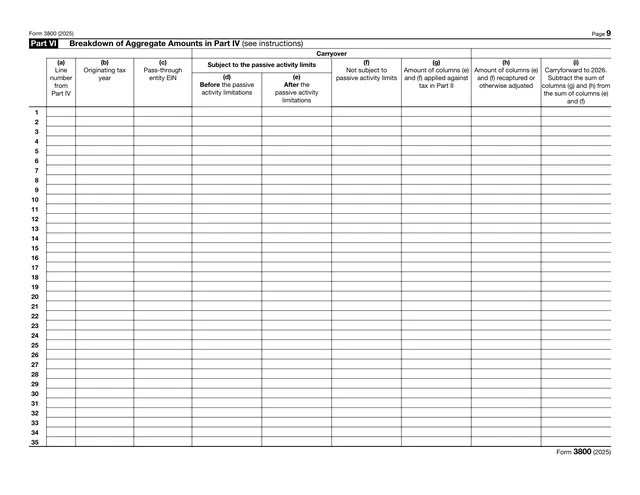
- Preview page 9 to confirm the form name and revision.
- Select Fill form to answer the form one page at a time.
- Type an answer for each field; checkboxes and choices use the form’s own options.
- Preview the finished pages, then download the flattened PDF.
- The downloaded copy is image-only, so it cannot be edited as a form again.
Keep the tax year and filing status consistent on every page. The editor keeps the original layout while you fill the existing fields.