What's inside
Form content
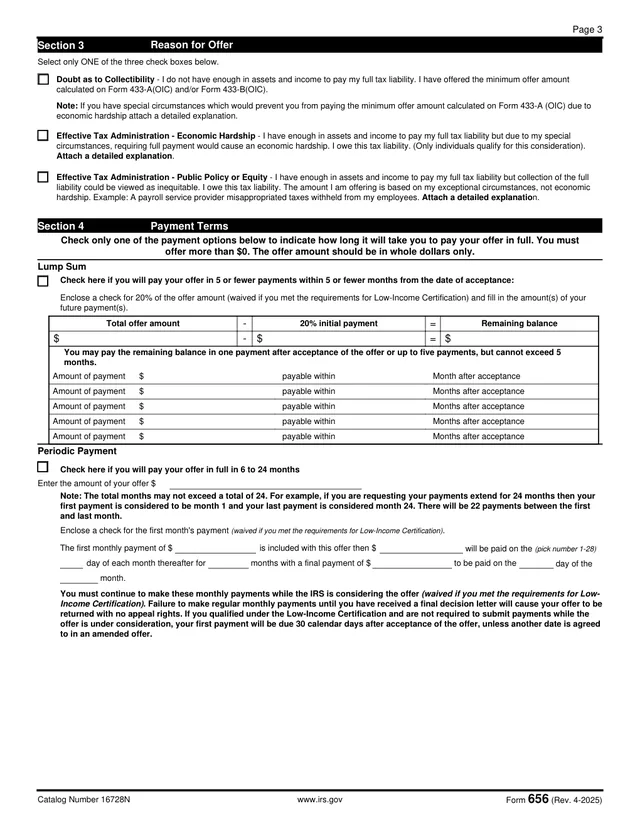
The attached Form 656 is not a stand-alone form and is intended for tax professional use only. Individuals requesting consideration of an offer must use Form 656‐B, Offer in Compromise, which may be found under the Forms and Pubs tab on www.irs.gov. Completed financial statements and required application fee and initial payment must be included with your Form 656. Failure to include the required information will delay consideration of your offer.
WARNING!!!
Catalog Number 16728N www.irs.gov
Form 656 (Rev. 4-2025)
(April 2025)
Offer in Compromise
To: Commissioner of Internal Revenue Service
In the following agreement, the pronoun "we" may be assumed in place of "I" when there are joint liabilities and both parties are signing this agreement.
I submit this offer to compromise the tax liabilities plus any interest, penalties, additions to tax, and additional amounts required by law for the tax type and period(s) marked in Section 1 or Section 2 below.
IRS Received Date
(COIC use only)
Did you use the Pre-Qualifier tool or the Individual Online Account eligibility (IOLA) check prior to filling out this form? Locate the Pre-Qualifier tool on our website at IRS.gov/OICtool or individual
How to fill it
Fill or edit this form in MePDF
- Preview page 4 to confirm the form name and revision.
- Select Fill form to answer the form one page at a time.
- Type an answer for each field; checkboxes and choices use the form’s own options.
- Preview the finished pages, then download the flattened PDF.
- The downloaded copy is image-only, so it cannot be edited as a form again.
Keep the tax year and filing status consistent on every page. The editor keeps the original layout while you fill the existing fields.