What's inside
Form content
Like-Kind Exchanges
(and section 1043 conflict-of-interest sales)
Attach to your tax return.
Go to www.irs.gov/Form8824 for instructions and the latest information.
2025
Attachment
Sequence No. 109
Name(s) shown on tax return
Identifying number
Part I
Information on the Like-Kind Exchange
Note: Only real property should be described on lines 1 and 2. If the property described on line 1 or line 2 is real property located outside the United States, indicate the country.
1
Description of like-kind property given up:
2
Description of like-kind property received:
3
Date like-kind property given up was originally acquired (month, day, year) .
.
.
.
.
.
.
.
.
3
MM/DD/YYYY
4
Date you actually transferred your property to the other party (month, day, year)
.
.
.
.
.
.
.
4
MM/DD/YYYY
5
Date like-kind property you received was identified by written notice to another party (month, day, year). See instructions for 45-day written identification requirement .
.
.
.
.
.
.
.
.
.
.
.
5
MM/DD/YYYY
6
Date you actually received the like-kind property from other party (month, day, year). See instructions
6
MM/DD/YYYY
7
Was the exchange of the property given up or received made with a related party, eith
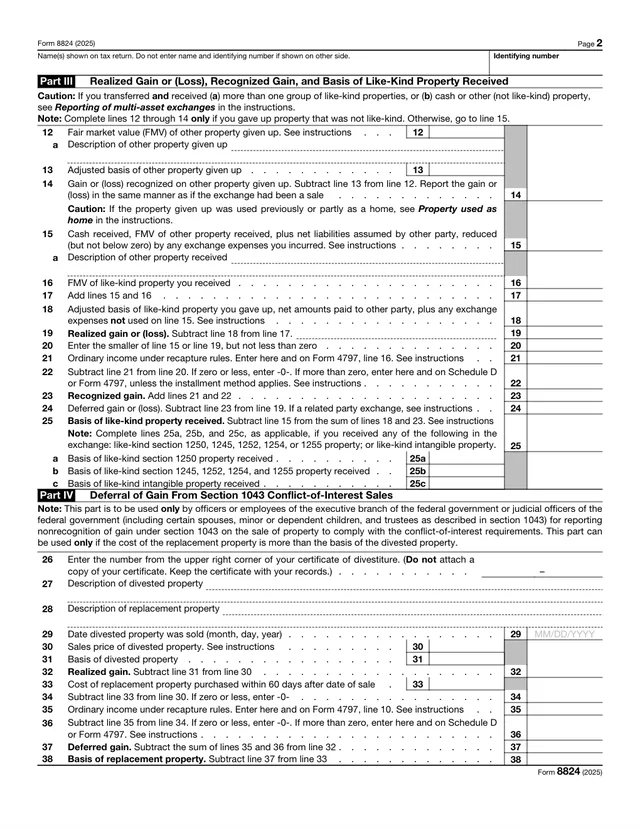
How to fill it
Fill or edit this form in MePDF
- Preview page 2 to confirm the form name and revision.
- Select Fill form to answer the form one page at a time.
- Type an answer for each field; checkboxes and choices use the form’s own options.
- Preview the finished pages, then download the flattened PDF.
- The downloaded copy is image-only, so it cannot be edited as a form again.
Keep the tax year and filing status consistent on every page. The editor keeps the original layout while you fill the existing fields.