What's inside
Form content
Initial and Annual Expatriation Statement
Go to www.irs.gov/Form8854 for instructions and the latest information.
Please print or type.
2025
Attachment
Sequence No. 112
For calendar year 2025, or tax year beginning
, 2025, and ending
, 20
.
Name
Identifying number (see instructions)
Part I
General Information. For all filers.
1
Mailing address and telephone number where you can be reached after expatriation
2
Address of principal foreign residence (if different from line 1)
3
Country of tax residence (if different from line 2)
4
Check the box that applies. See instructions.
Initial expatriation statement for persons who expatriated in 2025. Complete Part II.
Annual expatriation statement for persons who expatriated before 2025. Complete Part III.
5
Date of expatriation under section 877A(g)(3) for expatriating citizens and long-term residents (see instructions).
Citizen
Long-term resident
Long-term resident with dual residency in a treaty country. Date commencing to be treated, for tax purposes, as a resident of the treaty country
6
List all countries (including the United States) of which you are a citizen. See instructions.
a
Name of country b
Date you became a citizen of each co
How to fill it
Fill or edit this form in MePDF
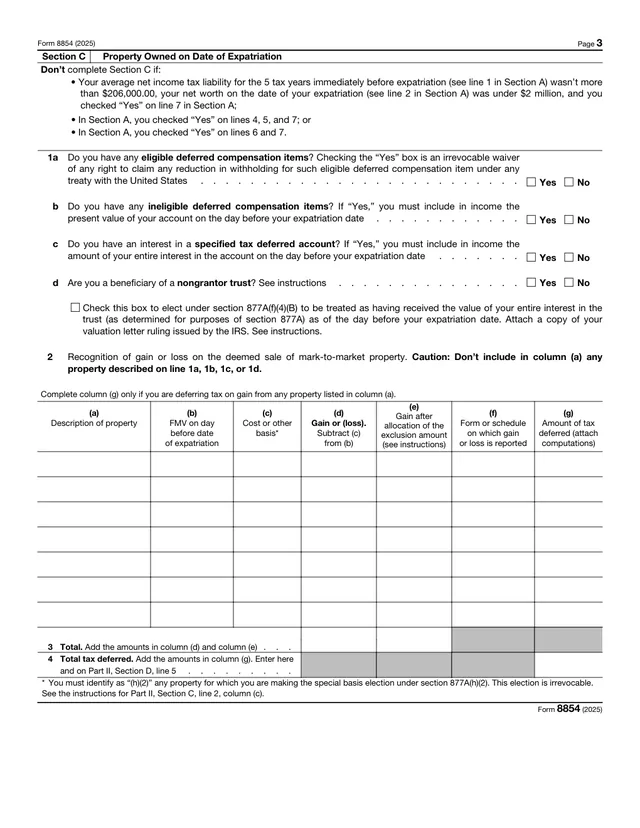
- Preview page 3 to confirm the form name and revision.
- Select Fill form to answer the form one page at a time.
- Type an answer for each field; checkboxes and choices use the form’s own options.
- Preview the finished pages, then download the flattened PDF.
- The downloaded copy is image-only, so it cannot be edited as a form again.
Keep the tax year and filing status consistent on every page. The editor keeps the original layout while you fill the existing fields.