What's inside
Form content
(Rev. December 2024)
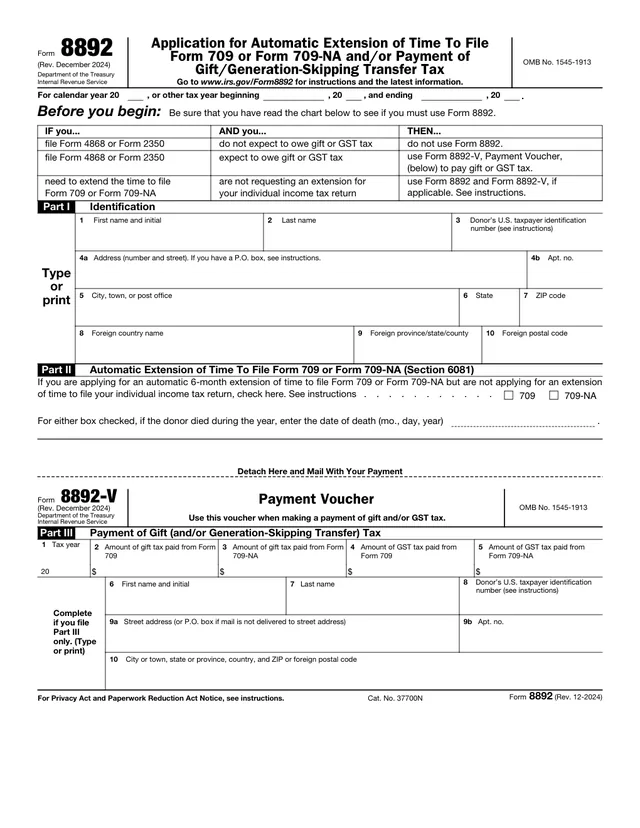
Application for Automatic Extension of Time To File
Form 709 or Form 709-NA and/or Payment of
Gift/Generation-Skipping Transfer Tax
Go to www.irs.gov/Form8892 for instructions and the latest information.
For calendar year 20
, or other tax year beginning
, 20
, and ending
, 20
.
Before you begin: Be sure that you have read the chart below to see if you must use Form 8892.
IF you...
AND you...
THEN...
file Form 4868 or Form 2350 do not expect to owe gift or GST tax do not use Form 8892.
file Form 4868 or Form 2350 expect to owe gift or GST tax use Form 8892-V, Payment Voucher,
(below) to pay gift or GST tax.
need to extend the time to file
Form 709 or Form 709-NA are not requesting an extension for your individual income tax return use Form 8892 and Form 8892-V, if applicable. See instructions.
Part I
Identification
Type or print
1 First name and initial
2 Last name
3 Donor’s U.S. taxpayer identification number (see instructions)
4a Address (number and street). If you have a P.O. box, see instructions.
4b Apt. no.
5 City, town, or post office
6 State
7 ZIP code
8 Foreign country name
9 Foreign province/state/county
10 Foreign postal code
Part II
Automatic Extens
How to fill it
Fill or edit this form in MePDF
- Preview page 1 to confirm the form name and revision.
- Select Fill form to answer the form one page at a time.
- Type an answer for each field; checkboxes and choices use the form’s own options.
- Preview the finished pages, then download the flattened PDF.
- The downloaded copy is image-only, so it cannot be edited as a form again.
Keep the tax year and filing status consistent on every page. The editor keeps the original layout while you fill the existing fields.