What's inside
Form content
(Form 990)
(Rev. December 2024)
Statement of Activities Outside the United States
Complete if the organization answered “Yes” on Form 990, Part IV, line 14b, 15, or 16.
Attach to Form 990.
Go to www.irs.gov/Form990 for instructions and the latest information.
Open to Public
Inspection
Name of the organization
Employer identification number
Part I
General Information on Activities Outside the United States. Complete if the organization answered “Yes” on
Form 990, Part IV, line 14b.
1
For grantmakers. Does the organization maintain records to substantiate the amount of its grants and other assistance, the grantees’ eligibility for the grants or assistance, and the selection criteria used to award the grants or assistance?
.
.
.
.
.
.
.
.
.
.
.
.
.
.
.
.
.
.
.
.
.
.
.
.
Yes
No
2
For grantmakers. Describe in Part V the organization’s procedures for monitoring the use of its grants and other assistance outside the United States.
3
Activities per Region. (The following Part I, line 3 table can be duplicated if additional space is needed.)
(a) Region
(b) Number of offices in the region
(c) Number of employees, agents, and independent contractors in the region
(d) Activities conducted in t
How to fill it
Fill or edit this form in MePDF
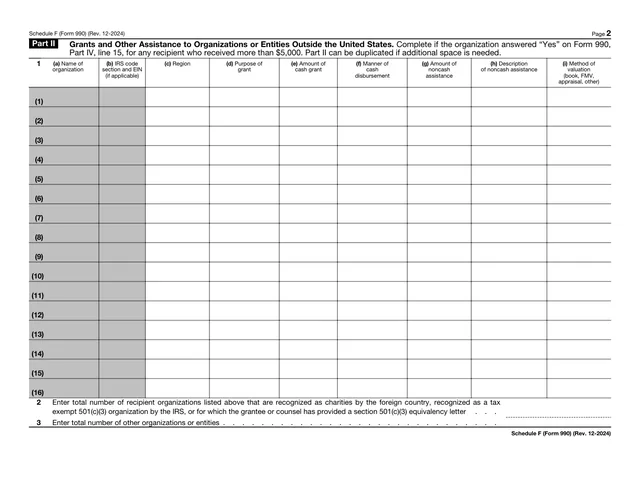
- Preview page 2 to confirm the form name and revision.
- Select Fill form to answer the form one page at a time.
- Type an answer for each field; checkboxes and choices use the form’s own options.
- Preview the finished pages, then download the flattened PDF.
- The downloaded copy is image-only, so it cannot be edited as a form again.
Keep the tax year and filing status consistent on every page. The editor keeps the original layout while you fill the existing fields.