What's inside
Form content
(Form 990)
(Rev. January 2025)
Related Organizations and Unrelated Partnerships
Complete if the organization answered “Yes” on Form 990, Part IV, line 33, 34, 35b, 36, or 37.
Attach to Form 990.
Go to www.irs.gov/Form990 for instructions and the latest information.
Open to Public
Inspection
Name of the organization
Employer identification number
Part I
Identification of Disregarded Entities. Complete if the organization answered “Yes” on Form 990, Part IV, line 33.
(a)
Name, address, and EIN (if applicable) of disregarded entity
(b)
Primary activity
(c)
Legal domicile (state or foreign country)
(d)
Total income
(e)
End-of-year assets
(f)
Direct controlling entity
(1)
(2)
(3)
(4)
(5)
(6)
Part II
Identification of Related Tax-Exempt Organizations. Complete if the organization answered “Yes” on Form 990, Part IV, line 34, because it had one or more related tax-exempt organizations during the tax year.
(a)
Name, address, and EIN of related organization
(b)
Primary activity
(c)
Legal domicile (state or foreign country)
(d)
Exempt Code section
(e)
Public charity status
(if section 501(c)(3))
(f)
Direct controlling entity
(g)
Section 512(b)(13) controlled entity?
Yes
No
(1)
(2)
(3)
(4)
(5
How to fill it
Fill or edit this form in MePDF
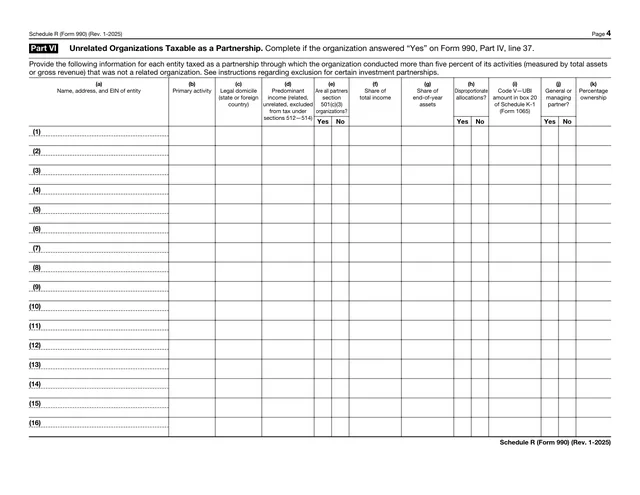
- Preview page 4 to confirm the form name and revision.
- Select Fill form to answer the form one page at a time.
- Type an answer for each field; checkboxes and choices use the form’s own options.
- Preview the finished pages, then download the flattened PDF.
- The downloaded copy is image-only, so it cannot be edited as a form again.
Fill only the fields that apply and keep a copy of the finished PDF. The editor keeps the original layout while you fill the existing fields.