What's inside
Form content
567001250094
Amended return
Final return
B. Are you subject to the metropolitan transportation business tax (MTA surcharge)? (see instructions;
mark an X in the appropriate box ) ..................................................................................................................
B
Yes
No
C. If you are disclaiming tax liability in New York State based on Public Law 86-272, mark an X in the box (see instructions) ...................................................................................................................................................
C
D. Do you have an interest in any partnerships? (mark an X in the appropriate box) ........................................... D Yes
No
If Yes, enter the name(s) and EIN(s) on Form CT-60 and file it with your return.
All filers must enter tax period:
See instructions, Form CT-3-I, before completing return.
beginning ending
A. Pay amount shown on Part 2, line 19c. Make payable to: New York State Corporation Tax
Attach your payment here. (Detach all check stubs; see instructions for details.)
A
Payment enclosed
Employer identification number (EIN)
File number
Business telephone number
(
)
Principal business activity
How to fill it
Fill or edit this form in MePDF
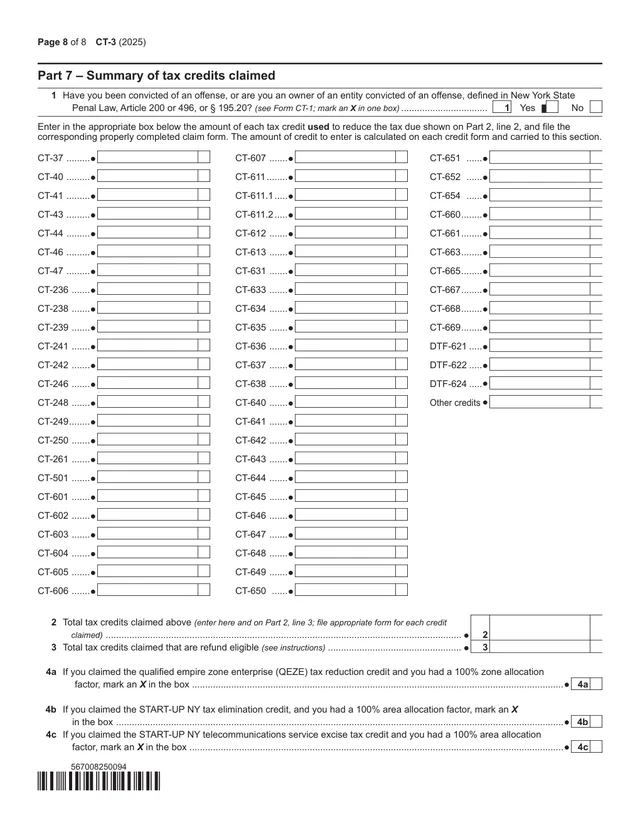
- Preview page 8 to confirm the form name and revision.
- Select Fill form to answer the form one page at a time.
- Type an answer for each field; checkboxes and choices use the form’s own options.
- Preview the finished pages, then download the flattened PDF.
- The downloaded copy is image-only, so it cannot be edited as a form again.
Keep the tax year and filing status consistent on every page. The editor keeps the original layout while you fill the existing fields.