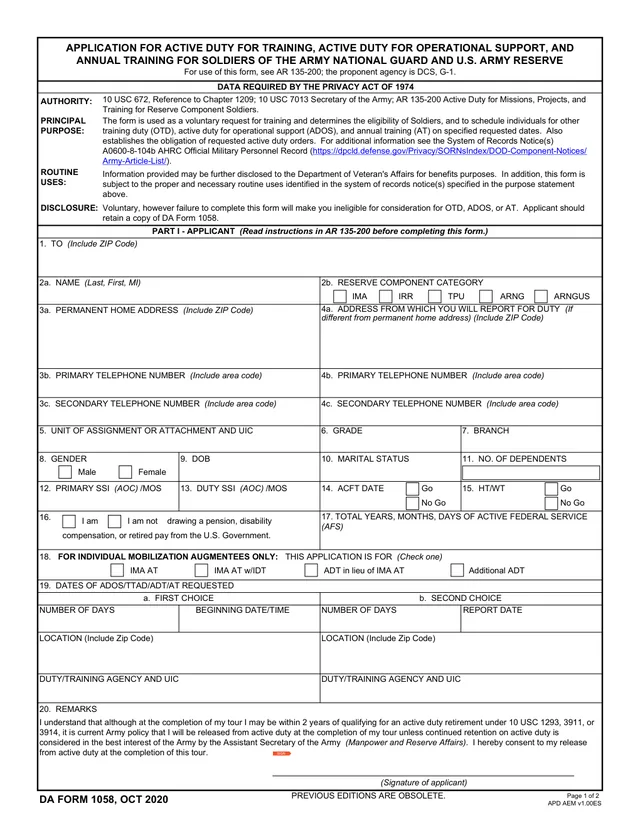
What's inside
Form content
ROUTINE
USES:
17. TOTAL YEARS, MONTHS, DAYS OF ACTIVE FEDERAL SERVICE
(AFS)
16.
PREVIOUS EDITIONS ARE OBSOLETE.
AUTHORITY:
PRINCIPAL
PURPOSE:
DISCLOSURE:
DA FORM 1058, OCT 2020
DATA REQUIRED BY THE PRIVACY ACT OF 1974
10 USC 672, Reference to Chapter 1209; 10 USC 7013 Secretary of the Army; AR 135-200 Active Duty for Missions, Projects, and
Training for Reserve Component Soldiers.
8. GENDER
Male
Female
I am
I am not
19. DATES OF ADOS/TTAD/ADT/AT REQUESTED a. FIRST CHOICE b. SECOND CHOICE
IMA AT
ADT in lieu of IMA AT
Additional ADT
APD AEM v1.00ES
5. UNIT OF ASSIGNMENT OR ATTACHMENT AND UIC
6. GRADE
7. BRANCH
10. MARITAL STATUS
11. NO. OF DEPENDENTS
9. DOB
14. ACFT DATE
15. HT/WT
NUMBER OF DAYS
BEGINNING DATE/TIME
LOCATION (Include Zip Code)
NUMBER OF DAYS
REPORT DATE
LOCATION (Include Zip Code)
DUTY/TRAINING AGENCY AND UIC
DUTY/TRAINING AGENCY AND UIC
4a. ADDRESS FROM WHICH YOU WILL REPORT FOR DUTY (If different from permanent home address) (Include ZIP Code)
PART I - APPLICANT (Read instructions in AR 135-200 before completing this form.)
18. FOR INDIVIDUAL MOBILIZATION AUGMENTEES ONLY: THIS APPLICATION IS FOR (Check one)
2a. NAME (Last, First, MI)
3b. PRIMARY TELEPHONE NUMBER (In
How to fill it
Fill or edit this form in MePDF
- Preview page 1 to confirm the form name and revision.
- Select Fill form to answer the form one page at a time.
- Type an answer for each field; checkboxes and choices use the form’s own options.
- Preview the finished pages, then download the flattened PDF.
- The downloaded copy is image-only, so it cannot be edited as a form again.
Fill only the fields that apply and keep a copy of the finished PDF. The editor keeps the original layout while you fill the existing fields.