What's inside
Form content
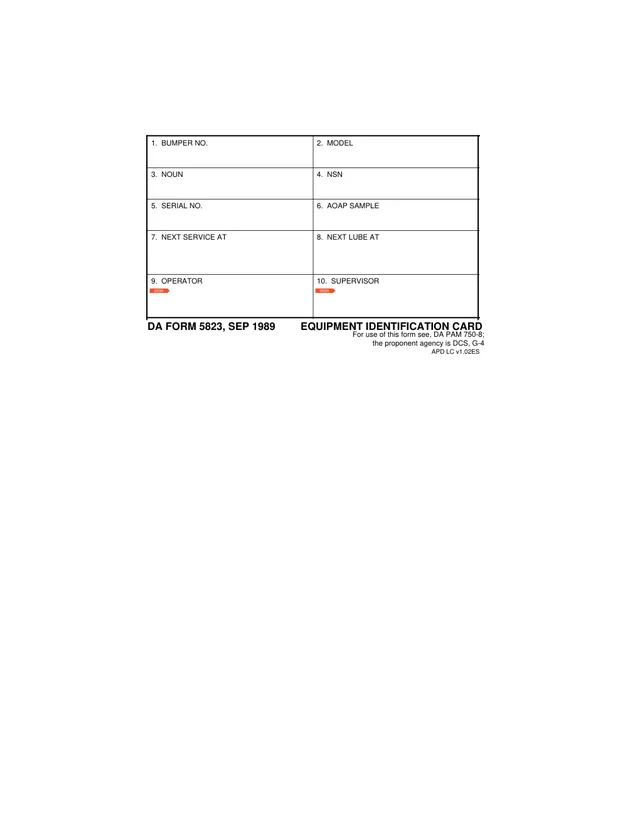
1. BUMPER NO.
2. MODEL
3. NOUN
4. NSN
5. SERIAL NO.
6. AOAP SAMPLE
7. NEXT SERVICE AT
8. NEXT LUBE AT
9. OPERATOR
10. SUPERVISOR
DA FORM 5823, SEP 1989
EQUIPMENT IDENTIFICATION CARD
APD LC v1.02ES
For use of this form see, DA PAM 750-8;
the proponent agency is DCS, G-4
SIGN
SIGN
Fieldsd ay form 58 23, september 19 89.
ay p d. l c version 1.01 es.
equipment identification card.
for use of this form see, d ay pamphlet 7 38 dash 7 50,. the proponent agency is d c s l o g.
1. enter bumper number.2. enter model.3. enter noun.4. enter n s n.5. enter serial number.6. enter ay o ay p sample.7. enter next service at.8. enter next lube at.OPERATOR. ELECTRONIC SIGNATURE. (Click to sign).SUPERVISOR. ELECTRONIC SIGNATURE. (Click to sign).
How to fill it
Fill or edit this form in MePDF
- Preview page 1 to confirm the form name and revision.
- Select Fill form to answer the form one page at a time.
- Type an answer for each field; checkboxes and choices use the form’s own options.
- Preview the finished pages, then download the flattened PDF.
- The downloaded copy is image-only, so it cannot be edited as a form again.
Fill only the fields that apply and keep a copy of the finished PDF. The editor keeps the original layout while you fill the existing fields.