What's inside
Form content
U.S. Department of Justice
Report of Theft or Loss of Controlled Substances
Drug Enforcement Administration
DEA FORM 106
Diversion Control Division
Type of Report: (check one box only)
New Report
Amendment Key (prior report dated): __________________________________
1.
DEA Registration Number: _____________________________________________________
Name of Business: ___________________________________________________________________________________________________________
Address: ___________________________________________________________________________________________________________________
City: ______________________________________________________________________ State: ____________ ZIP Code: _____________________
Point of Contact: ________________________________________________________________________________
Email Address: _____________________________________________________________
Phone No.: _______________________________
Date of the Theft or Loss (or first discovery of theft or loss): __________________________ Number of Thefts and Losses in the past 24 months: ___________
Principal Business of Registrant: Pharmacy Practitioner Manufacturer Hospital/Clinic Distrib
How to fill it
Fill or edit this form in MePDF
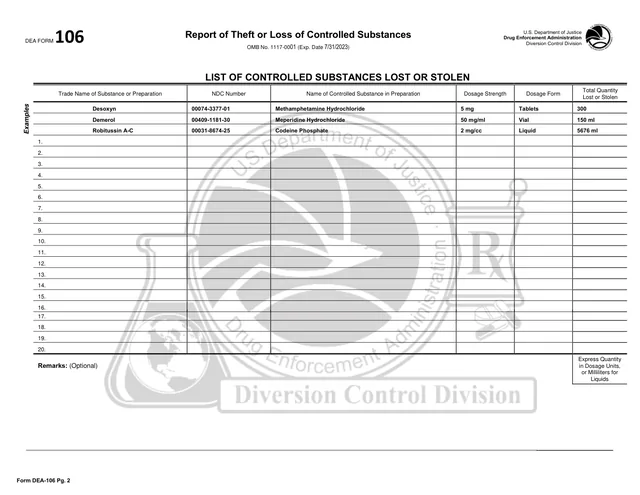
- Preview page 2 to confirm the form name and revision.
- Select Fill form to answer the form one page at a time.
- Type an answer for each field; checkboxes and choices use the form’s own options.
- Preview the finished pages, then download the flattened PDF.
- The downloaded copy is image-only, so it cannot be edited as a form again.
Fill only the fields that apply and keep a copy of the finished PDF. The editor keeps the original layout while you fill the existing fields.