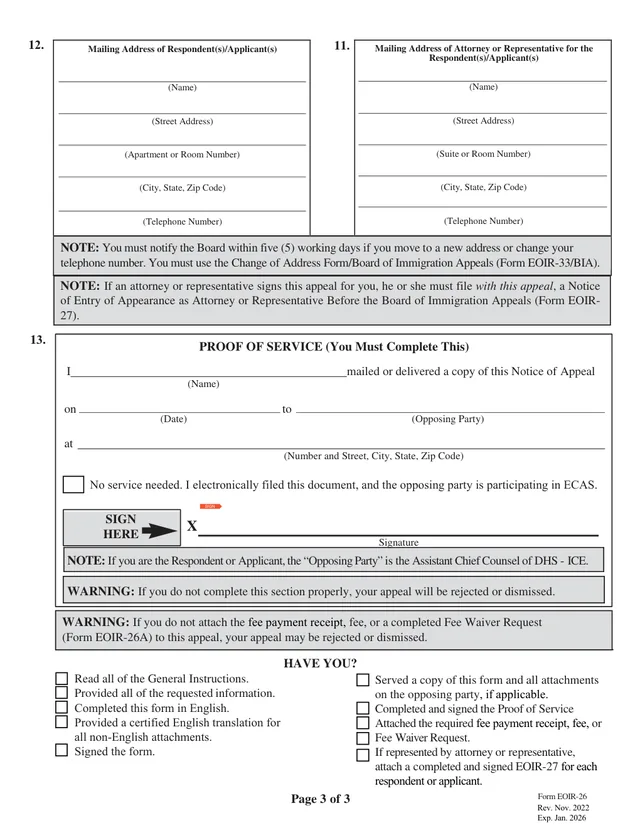
What's inside
Form content
OMB# 1125-0002
U.S. Department of Justice
Notice of Appeal from a Decision of an
Executive Office for Immigration Review
Board of Immigration Appeals
Immigration Judge
GENERAL INSTRUCTIONS
(Please read carefully before completing and filing Form EOIR-26)
A. When to Appeal:
•
Use this form (Form EOIR-26) only to appeal a decision by an Immigration Judge. If you wish to appeal a decision of the U.S. Citizenship and Immigration Services (USCIS), you must use a different form (Form EOIR-29).
•
Do not use this form (Form EOIR-26) to appeal the following Immigration Judge determinations:
Reasonable fear
8 C.F.R. § 1208.31(g)(1)
Credible fear
8 C.F.R. § 1208.30(g)(2)(iv)(A)
Claimed status review
8 C.F.R. § 1235.3(b)(5)(iv)
The Board does not have the authority to review such determinations. For additional information regarding the Board’s review authority, please see the Board of Immigration Appeals Practice Manual, which is available on the EOIR website at www.justice.gov/eoir.
•
You must send the Notice of Appeal so that it is received by the Board within thirty (30) calendar days after the
Immigration Judge’s oral decision, or within thirty (30) calendar days after the date the Immigra
How to fill it
Fill or edit this form in MePDF
- Preview page 7 to confirm the form name and revision.
- Select Fill form to answer the form one page at a time.
- Type an answer for each field; checkboxes and choices use the form’s own options.
- Preview the finished pages, then download the flattened PDF.
- The downloaded copy is image-only, so it cannot be edited as a form again.
Spell names exactly as they appear in the passport. The editor keeps the original layout while you fill the existing fields.