What's inside
Form content
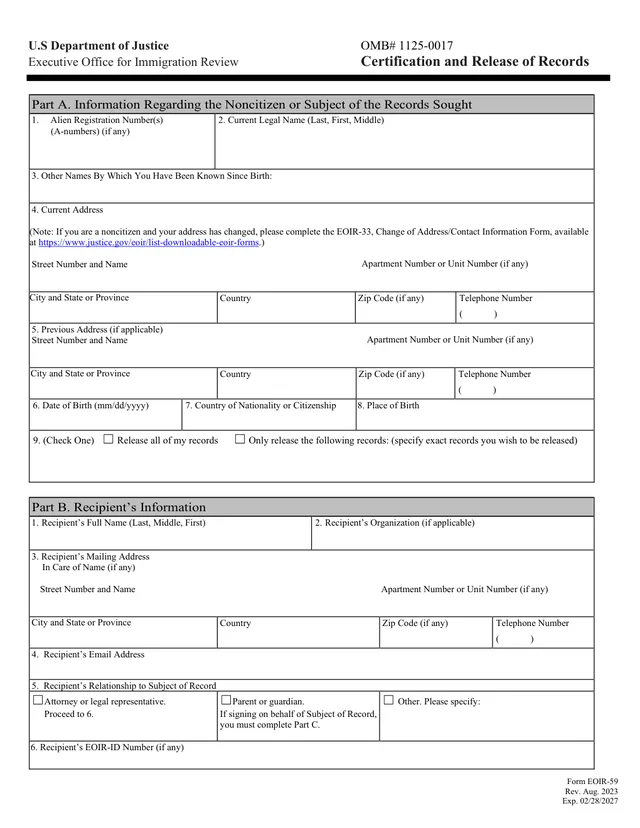
U.S Department of Justice
Executive Office for Immigration Review
OMB# 1125-0017
Certification and Release of Records
Purpose: The primary purpose for providing the requested information on this form is for parties in cases or individuals who are in or have been in proceedings before the Executive Office for Immigration Review (EOIR) to authorize the disclosure of their information, including information retained in case files or a Record of Proceeding (documents, and if applicable, audio recordings), to an attorney, accredited representative, qualified organization, or other third party.
Disclosure: To ensure that privacy-protected information is not improperly released, a document such as this form, which verifies your identity, must accompany all requests for access to records containing your information. You may choose what information you wish to be disclosed, but failure to fully complete the form, including any additional information requested to process the request, may delay access to information or result in denial of an information request.
Authorities: The information requested on this form, and the associated evidence, is collected under the Freedom of
Information Act
How to fill it
Fill or edit this form in MePDF
- Preview page 2 to confirm the form name and revision.
- Select Fill form to answer the form one page at a time.
- Type an answer for each field; checkboxes and choices use the form’s own options.
- Preview the finished pages, then download the flattened PDF.
- The downloaded copy is image-only, so it cannot be edited as a form again.
Spell names exactly as they appear in the passport. The editor keeps the original layout while you fill the existing fields.