What's inside
Form content
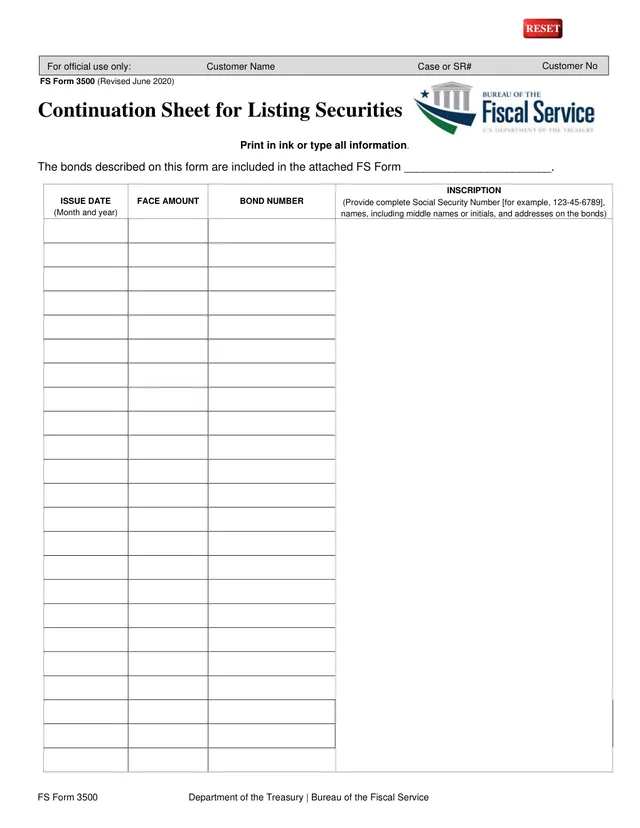
FS Form 3500 (Revised June 2020)
Continuation Sheet for Listing Securities
Print in ink or type all information.
The bonds described on this form are included in the attached FS Form _______________________.
ISSUE DATE
(Month and year)
FACE AMOUNT
BOND NUMBER
INSCRIPTION
(Provide complete Social Security Number [for example, 123-45-6789], names, including middle names or initials, and addresses on the bonds)
RESET
For official use only: Customer Name
Case or SR#
Customer No
FieldsClick here to Clear the Form and Reset all Information.Customer NameCase NoCustomer NoForm numberISSUE DATE (Specific month and year of purchase)_Row_1FACE AMOUNT_Row_1BOND NUMBER_Row_1INSCRIPTION (Provide complete Social Security Number [for example, 123-45-6789], names, including middle names or initials, and addresses [street, city, state] on the bonds. If a bond was received as a gift, provide the purchaser s Social Security Number.)_Row_1ISSUE DATE (Specific month and year of purchase)_Row_2FACE AMOUNT_Row_2BOND NUMBER_Row_2
How to fill it
Fill or edit this form in MePDF
- Preview page 1 to confirm the form name and revision.
- Select Fill form to answer the form one page at a time.
- Type an answer for each field; checkboxes and choices use the form’s own options.
- Preview the finished pages, then download the flattened PDF.
- The downloaded copy is image-only, so it cannot be edited as a form again.
Copy figures exactly from the statement and keep the currency clear. The editor keeps the original layout while you fill the existing fields.