What's inside
Form content
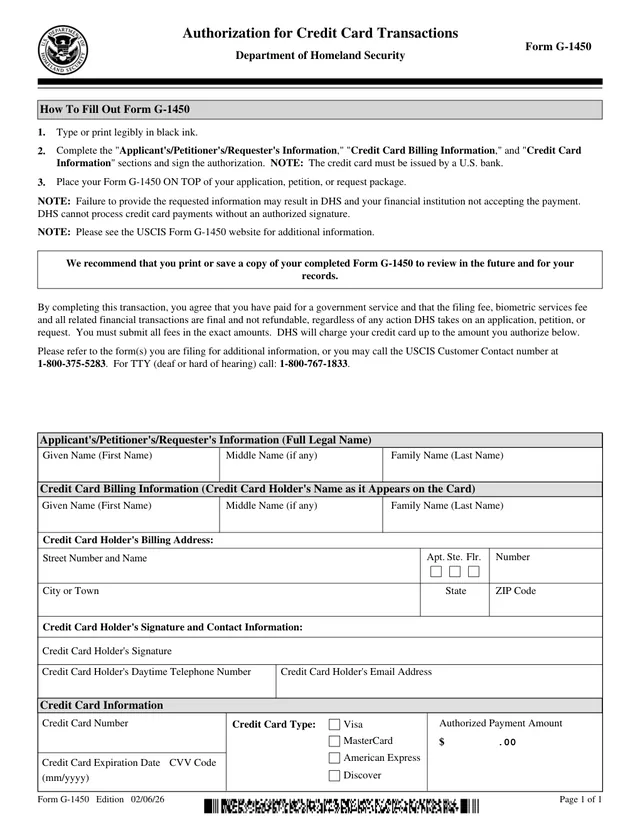
Form G-1450 Edition 02/06/26
Complete the "Applicant's/Petitioner's/Requester's Information," "Credit Card Billing Information," and "Credit Card
Information" sections and sign the authorization. NOTE: The credit card must be issued by a U.S. bank.
Type or print legibly in black ink.
1.
2.
How To Fill Out Form G-1450
Applicant's/Petitioner's/Requester's Information (Full Legal Name)
Family Name (Last Name)
Middle Name (if any)
Given Name (First Name)
Credit Card Information
Credit Card Billing Information (Credit Card Holder's Name as it Appears on the Card)
Given Name (First Name)
Middle Name (if any)
Family Name (Last Name)
Credit Card Holder's Billing Address:
Street Number and Name
Apt.
Flr.
Number
Ste.
City or Town
State
ZIP Code
Credit Card Holder's Signature and Contact Information:
Credit Card Holder's Daytime Telephone Number
Credit Card Holder's Email Address
Credit Card Type:
Visa
Credit Card Number
CVV Code
Credit Card Expiration Date
(mm/yyyy)
MasterCard
American Express
Discover
Authorized Payment Amount
$
.00
Credit Card Holder's Signature
Place your Form G-1450 ON TOP of your application, petition, or request package.
3.
NOTE: Failure to provide the requested inform
How to fill it
Fill or edit this form in MePDF
- Preview page 1 to confirm the form name and revision.
- Select Fill form to answer the form one page at a time.
- Type an answer for each field; checkboxes and choices use the form’s own options.
- Preview the finished pages, then download the flattened PDF.
- The downloaded copy is image-only, so it cannot be edited as a form again.
Spell names exactly as they appear in the passport. The editor keeps the original layout while you fill the existing fields.