What's inside
Form content
Form I-864 Edition 10/17/24
For
USCIS
Use
Only
Affidavit of Support Under Section 213A of the INA
Department of Homeland Security
U.S. Citizenship and Immigration Services
►
Part 1. Basis For Filing Affidavit of Support
I am the sponsor submitting this affidavit of support because (Select only one box).
I am the petitioner. I filed or am filing for the immigration of my relative.
I filed an alien worker petition on behalf of the intending immigrant,who is related to me as my
1.c.
1.d.
I have an ownership interest of at least 5 percent in
I am the only joint sponsor.
1.e.
1.f.
I am the
The original petitioner is deceased. I am the substitute sponsor. I am first second of two joint sponsors.
which filed an alien worker petition on behalf of the intending immigrant, who is related to me as my
1.b.
1.a.
NOTE: As a sponsor, you must include proof of your U.S. citizenship, U.S. national status, or lawful permanent resident status.
Affidavit of Support Submitter
Petitioner
1st Joint Sponsor
2nd Joint Sponsor
Remarks
Date (mm/dd/yyyy):
Reviewed By:
Office:
Substitute Sponsor
5% Owner
Section 213A Review
MEETS requirements
DOES NOT MEET requirements
START HERE - Type or print in black ink.
How to fill it
Fill or edit this form in MePDF
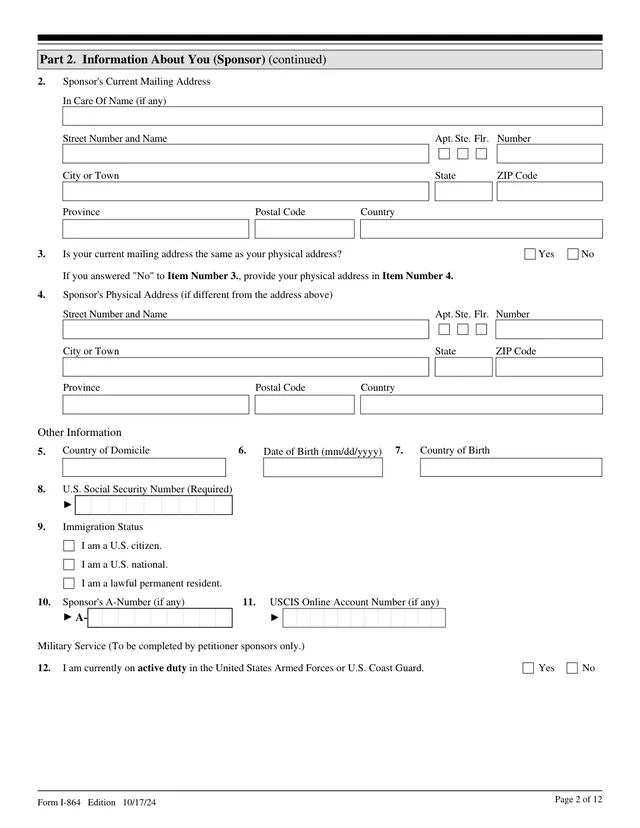
- Preview page 2 to confirm the form name and revision.
- Select Fill form to answer the form one page at a time.
- Type an answer for each field; checkboxes and choices use the form’s own options.
- Preview the finished pages, then download the flattened PDF.
- The downloaded copy is image-only, so it cannot be edited as a form again.
Spell names exactly as they appear in the passport. The editor keeps the original layout while you fill the existing fields.