What's inside
Form content
Form I-864EZ Edition 10/17/24
Affidavit of Support Under Section 213A of the INA
Department of Homeland Security
U.S. Citizenship and Immigration Services
USCIS
Expires 10/31/2027
START HERE - Type or print in black ink.
►
No (Use Form I-864)
Yes
No (Use Form I-864)
Yes
No (Use Form I-864)
Yes
No
Yes
Attorney State Bar Number
(if applicable)
Attorney or Accredited Representative
USCIS Online Account Number (if any)
Select this box if
Form G-28 or
G-28I is attached.
Part 1. Qualifying to Use Form I-864EZ
1.
Family Name (Last Name)
Given Name (First Name)
Middle Name (if applicable)
3.
Is your current mailing address the same as your physical address?
If you answered "No" to Item Number 3., provide your physical address.
2.
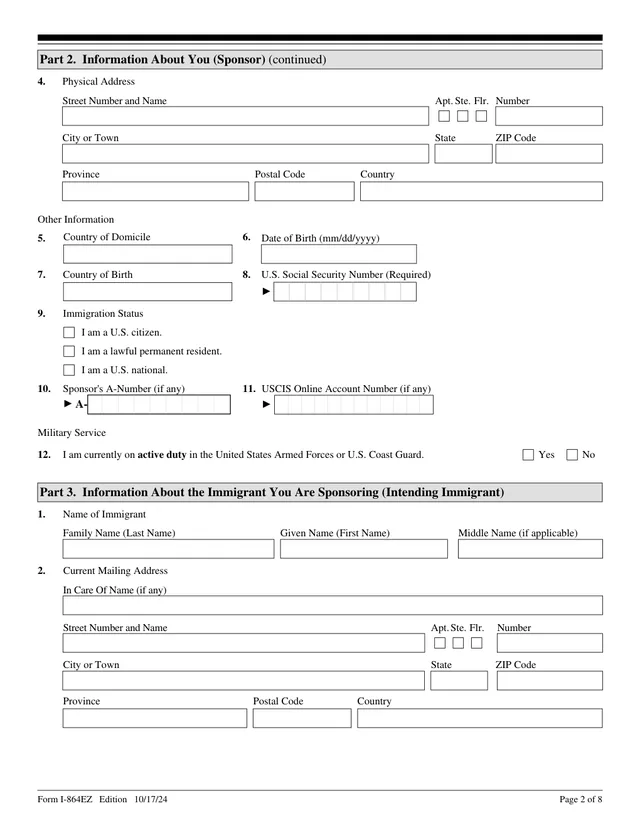
Street Number and Name
Flr.
Ste.
Apt.
Number
City or Town
State
ZIP Code
In Care Of Name (if any)
Postal Code
Country
Province
1.
I am the petitioner of the family member sponsored on this affidavit.
I am using my own earned or retirement income, which is documented using Internal Revenue Service (IRS) Form W-2.
2.
3.
The sponsored immigrant is the only person immigrating based on the underlying visa petition.
Part 2. Information About You (Sponsor)
Current Mailin
How to fill it
Fill or edit this form in MePDF
- Preview page 2 to confirm the form name and revision.
- Select Fill form to answer the form one page at a time.
- Type an answer for each field; checkboxes and choices use the form’s own options.
- Preview the finished pages, then download the flattened PDF.
- The downloaded copy is image-only, so it cannot be edited as a form again.
Spell names exactly as they appear in the passport. The editor keeps the original layout while you fill the existing fields.