What's inside
Form content
(DISPONIBLE EN FRANÇAIS - IMM 5476 F)
PROTECTED WHEN COMPLETED - B
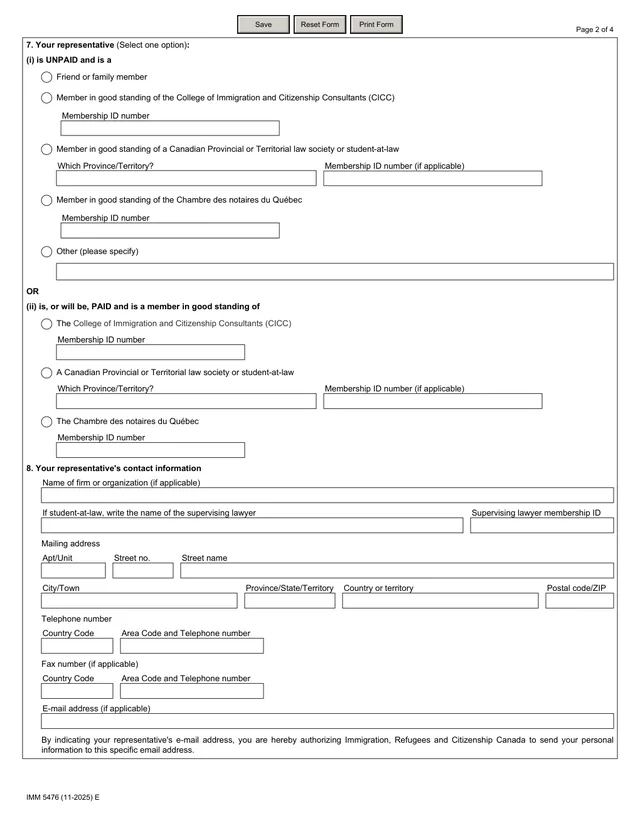
USE OF A REPRESENTATIVE
IMM 5476 (11-2025) E
You do not need to hire a representative, it is your choice. No one can guarantee the approval of your application. All the forms and information that you need to apply are available for free on the Immigration, Refugees and Citizenship Canada (IRCC) Website.
By filling out this form, you are appointing a representative to conduct business on your behalf throughout the application process. Your representative will be able to complete or update your application and act on your behalf with Immigration, Refugees and Citizenship Canada (IRCC) and the Canada Border
Services Agency (CBSA). You may only have one representative at a time per application. If you appoint a new representative, the previous representative will no longer be authorized to conduct business on your behalf and receive information on your application.
Note: You must use this form to appoint a paid or unpaid representative to conduct business with IRCC or the CBSA on your behalf. You must also use this form: 1. to notify IRCC if your representative's contact information changes, 2. if you wish to cancel the
How to fill it
Fill or edit this form in MePDF
- Preview page 2 to confirm the form name and revision.
- Select Fill form to answer the form one page at a time.
- Type an answer for each field; checkboxes and choices use the form’s own options.
- Preview the finished pages, then download the flattened PDF.
- The downloaded copy is image-only, so it cannot be edited as a form again.
Spell names exactly as they appear in the passport. The editor keeps the original layout while you fill the existing fields.