What's inside
Form content
Save
Reset Form
Print Form
Validate
PROTECTED WHEN COMPLETED - B
Page of
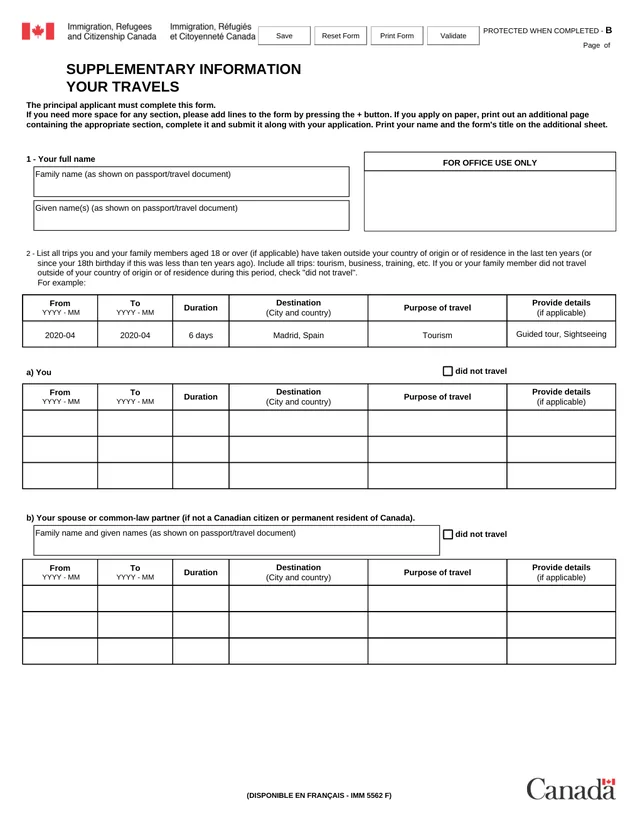
SUPPLEMENTARY INFORMATION
YOUR TRAVELS
(DISPONIBLE EN FRANÇAIS - IMM 5562 F)
The principal applicant must complete this form.
If you need more space for any section, please add lines to the form by pressing the + button. If you apply on paper, print out an additional page containing the appropriate section, complete it and submit it along with your application. Print your name and the form's title on the additional sheet.
1 - Your full name
Family name (as shown on passport/travel document)
Given name(s) (as shown on passport/travel document)
FOR OFFICE USE ONLY
2 - List all trips you and your family members aged 18 or over (if applicable) have taken outside your country of origin or of residence in the last ten years (or since your 18th birthday if this was less than ten years ago). Include all trips: tourism, business, training, etc. If you or your family member did not travel outside of your country of origin or of residence during this period, check "did not travel".
For example:
From
YYYY - MM
To
YYYY - MM
Duration
Destination
(City and country)
Purpose of travel
Provide details
(if applicable)
2020-04
20
How to fill it
Fill or edit this form in MePDF
- Preview page 1 to confirm the form name and revision.
- Select Fill form to answer the form one page at a time.
- Type an answer for each field; checkboxes and choices use the form’s own options.
- Preview the finished pages, then download the flattened PDF.
- The downloaded copy is image-only, so it cannot be edited as a form again.
Spell names exactly as they appear in the passport. The editor keeps the original layout while you fill the existing fields.