What's inside
Form content
Page 1
IOWA GENERAL BILL OF SALE
Date of Sale:
(mm/dd/yyyy)
1. SELLER INFORMATION
Full Name:
Phone:
Mailing Address:
Email:
City:
State:
ZIP:
2. BUYER INFORMATION
Full Name:
Phone:
Mailing Address:
Email:
City:
State:
ZIP:
3. DESCRIPTION OF PROPERTY
Describe the personal property being sold. If selling a vehicle, include Make, Model, Year, VIN, and current odometer reading.
4. PURCHASE PRICE
Total Purchase Price: $
Amount in words:
Dollars
Method of payment
(check one):
Cash
Check
Money Order
Other:
5. SELLER AND BUYER DISCLOSURES
The undersigned Seller certifies that they are the lawful owner of the property described above, that the property is free of all liens and encumbrances, and that all information provided in this bill of sale is true and accurate to the best of their knowledge. The Seller agrees to transfer ownership of the property to the Buyer in exchange for the purchase price stated above.
The undersigned Buyer acknowledges receipt of the property and understands that it is being sold on an “as is, where is” basis with no warranties, either expressed or implied. The Buyer agrees not to hold the Seller liable for any defects discovered after the sale.
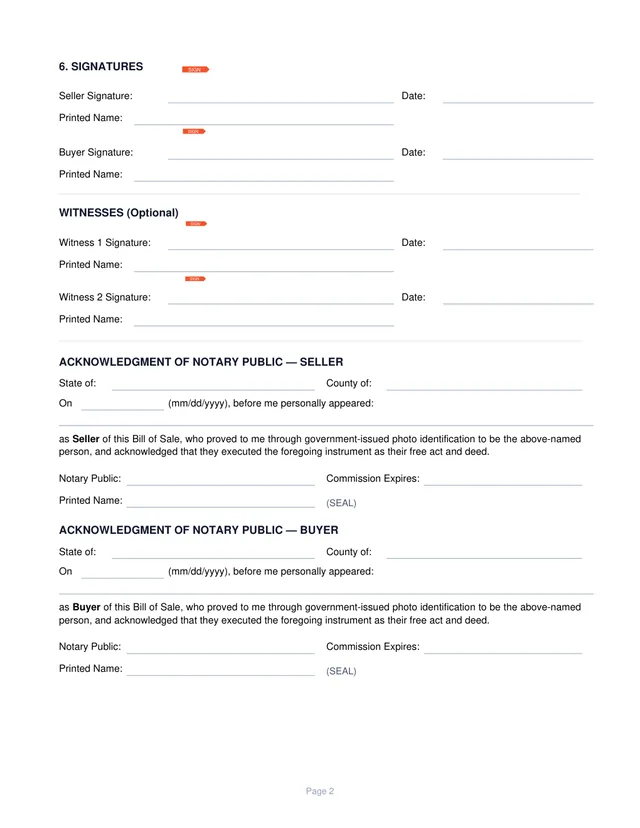
Page 2
6. SIGNATU
How to fill it
Fill or edit this form in MePDF
- Preview page 2 to confirm the form name and revision.
- Select Fill form to answer the form one page at a time.
- Type an answer for each field; checkboxes and choices use the form’s own options.
- Preview the finished pages, then download the flattened PDF.
- The downloaded copy is image-only, so it cannot be edited as a form again.
Fill only the fields that apply and keep a copy of the finished PDF. The editor keeps the original layout while you fill the existing fields.