What's inside
Form content
6601 Ritchie Highway, N.E.
Glen Burnie, Maryland 21062
VR-181 (05-25)
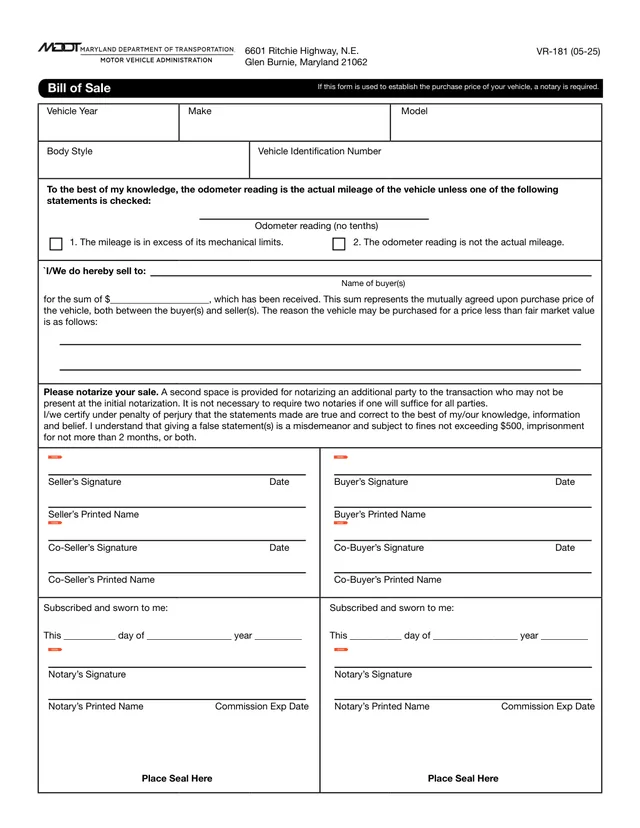
Bill of Sale
If this form is used to establish the purchase price of your vehicle, a notary is required.
Vehicle Year
Make
Model
Body Style
Vehicle Identification Number
To the best of my knowledge, the odometer reading is the actual mileage of the vehicle unless one of the following statements is checked:
Odometer reading (no tenths)
1. The mileage is in excess of its mechanical limits.
2. The odometer reading is not the actual mileage.
`I/We do hereby sell to:
for the sum of $_____________________, which has been received. This sum represents the mutually agreed upon purchase price of the vehicle, both between the buyer(s) and seller(s). The reason the vehicle may be purchased for a price less than fair market value is as follows:
Name of buyer(s)
Please notarize your sale. A second space is provided for notarizing an additional party to the transaction who may not be present at the initial notarization. It is not necessary to require two notaries if one will suffice for all parties.
I/we certify under penalty of perjury that the statements made are true and correct to the best of my/our knowledge, information
How to fill it
Fill or edit this form in MePDF
- Preview page 1 to confirm the form name and revision.
- Select Fill form to answer the form one page at a time.
- Type an answer for each field; checkboxes and choices use the form’s own options.
- Preview the finished pages, then download the flattened PDF.
- The downloaded copy is image-only, so it cannot be edited as a form again.
Fill only the fields that apply and keep a copy of the finished PDF. The editor keeps the original layout while you fill the existing fields.