What's inside
Form content
Form N-600 Edition 01/20/25
►A-
Attorney State Bar Number
(if applicable)
Select this box if
Form G-28 is attached.
To be completed by an
Attorney or Accredited
Representative (if any).
Attorney or Accredited Representative
USCIS Online Account Number (if any)
For
USCIS
Use
Only
Child of a U.S. citizen filing for a Certificate of Citizenship for myself.
I am a:
Part 1. Information About Your Eligibility
Enter Your 9 Digit A-Number:
Date Stamp
Remarks
Current Legal Name (do not provide a nickname)
Family Name (Last Name)
Given Name (First Name)
Middle Name
1.
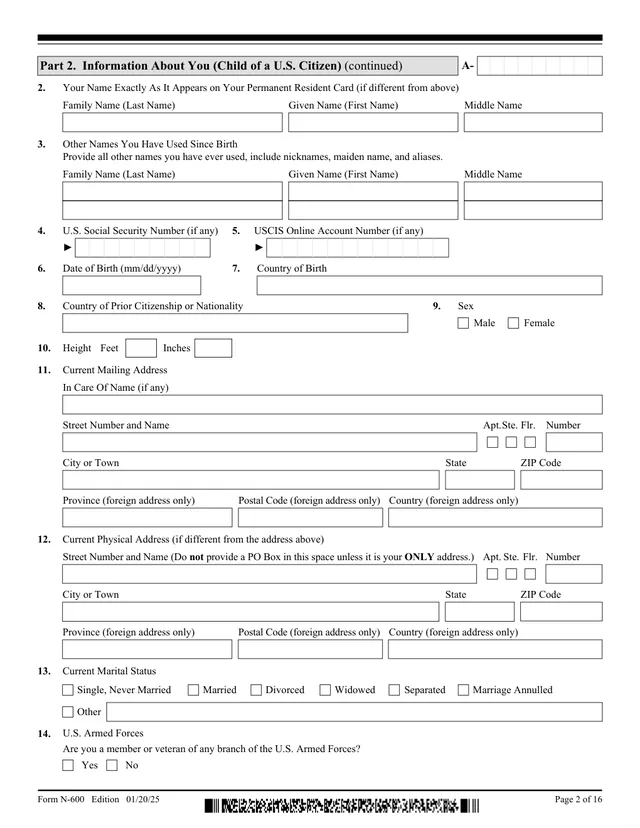
Part 2. Information About You (Child of a U.S. Citizen)
START HERE - Type or print in black ink.
Action Block
Receipt
Application for Certificate of Citizenship
Department of Homeland Security
U.S. Citizenship and Immigration Services
USCIS
Expires 02/28/2027
►
1.
Provide information about yourself if you are an applicant applying for the Certificate of Citizenship. Provide information about your child if you are a U.S. citizen parent or legal guardian applying for a Certificate of Citizenship for your minor child.
U.S. citizen parent or legal guardian filing for a Certificate of Citizenship on behalf of a child.
The adopted ch
How to fill it
Fill or edit this form in MePDF
- Preview page 2 to confirm the form name and revision.
- Select Fill form to answer the form one page at a time.
- Type an answer for each field; checkboxes and choices use the form’s own options.
- Preview the finished pages, then download the flattened PDF.
- The downloaded copy is image-only, so it cannot be edited as a form again.
Spell names exactly as they appear in the passport. The editor keeps the original layout while you fill the existing fields.