What's inside
Form content
Change of registration details
Use this form to change the following registration details for the entity:
■ entity name
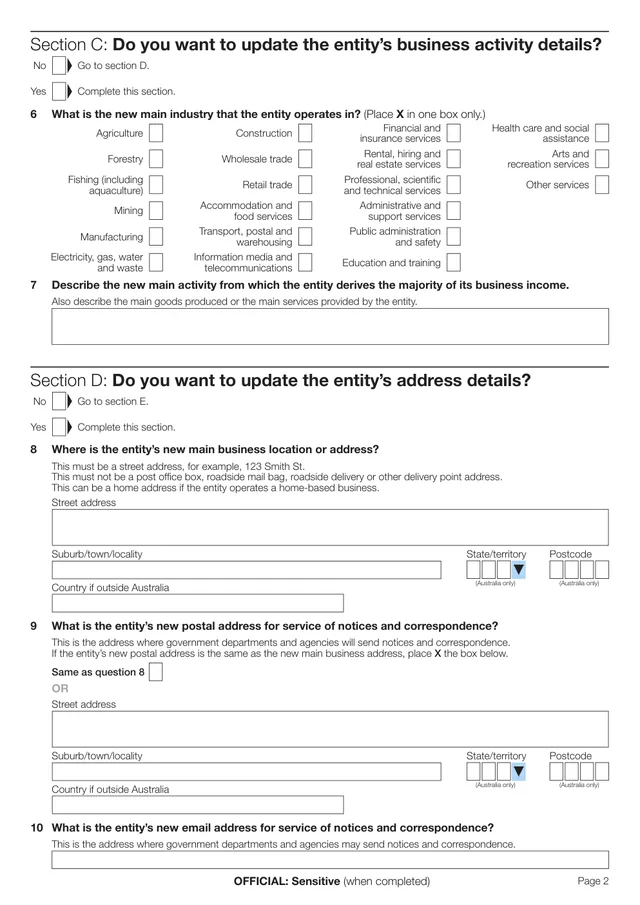
■ main business activity
■ postal, email or business location address
■ authorised contact person
■ associates
■ financial institution account details.
We will only change your registration details if you are recorded with us as being authorised to update details on behalf of the entity.
Do not use this form if you represent a superannuation fund. You need Change of details for superannuation entities (NAT 3036). Visit ato.gov.au to obtain a copy.
Change your registration details online
Using our online services is the quickest and easiest way to change your registration details.
If you have a myGovID, you can change your registration details online using:
■ the Australian Business Register at abr.gov.au
■ Online services for business at ato.gov.au/OSB
■ Online services for agents at ato.gov.au/OSFA
You can:
■ phone 13 92 26 between 8.00am and 6.00pm,
Monday to Friday
■ talk to your registered agent (tax agent or BAS agent).
Instructions for completing this form
■ Print clearly using a black or dark blue pen.
■ Use BLOCK LETTERS.
■ Place X in all applicable boxes.
How to fill it
Fill or edit this form in MePDF
- Preview page 2 to confirm the form name and revision.
- Select Fill form to answer the form one page at a time.
- Type an answer for each field; checkboxes and choices use the form’s own options.
- Preview the finished pages, then download the flattened PDF.
- The downloaded copy is image-only, so it cannot be edited as a form again.
Keep the tax year and filing status consistent on every page. The editor keeps the original layout while you fill the existing fields.