What's inside
Form content
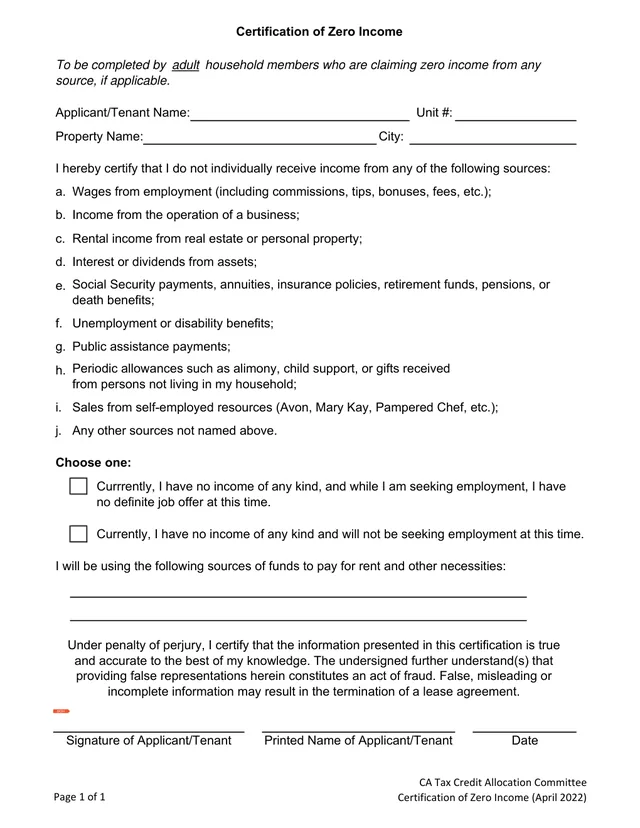
Certification of Zero Income
Applicant/Tenant Name:
Unit #:
Property Name:
City:
I hereby certify that I do not individually receive income from any of the following sources:
a. Wages from employment (including commissions, tips, bonuses, fees, etc.);
b. Income from the operation of a business;
c. Rental income from real estate or personal property;
d. Interest or dividends from assets;
e.
f. Unemployment or disability benefits;
g. Public assistance payments;
h.
i.
Sales from self-employed resources (Avon, Mary Kay, Pampered Chef, etc.);
j.
Any other sources not named above.
no definite job offer at this time.
I will be using the following sources of funds to pay for rent and other necessities:
Signature of Applicant/Tenant
Printed Name of Applicant/Tenant
Date
Choose one:
Social Security payments, annuities, insurance policies, retirement funds, pensions, or death benefits;
Periodic allowances such as alimony, child support, or gifts received from persons not living in my household;
Under penalty of perjury, I certify that the information presented in this certification is true and accurate to the best of my knowledge. The undersigned further understand(s) that providing false rep
How to fill it
Fill or edit this form in MePDF
- Preview page 1 to confirm the form name and revision.
- Select Fill form to answer the form one page at a time.
- Type an answer for each field; checkboxes and choices use the form’s own options.
- Preview the finished pages, then download the flattened PDF.
- The downloaded copy is image-only, so it cannot be edited as a form again.
Fill only the fields that apply and keep a copy of the finished PDF. The editor keeps the original layout while you fill the existing fields.