What's inside
Form content
Employer’s report of injury/disease (Form 7) 7
Did you know that you can report a workplace injury or illness online?
Log in to our online services to report a workplace injury or illness for your employee(s).
Before you start, have the:
• claimant information (name, address, DOB, SIN)
•
Injury/illness details
• wage information
• account number
• applicable class/subclass and NAICS code
Please note: submitting a no-lost time claim? Only complete sections A to D, E (#1) and J.
If you are not logging into online services for business, go to PDF version of the form and upload.
You must report a workplace injury or illness within three business days of learning about it if your employee:
• needed treatment from a health professional, or
• was absent from work, or
• earns less than regular pay (e.g. working fewer hours or being paid less per hour)
• requires modified work at less than regular pay, or
• requires modified work at regular pay for more than seven calendar days following the date of accident
You must provide a copy of the injury or illness report to your employee.
Email [email protected] if you need a different format or accommodation. Disponible en franҫais.
wsib.ca
How to fill it
Fill or edit this form in MePDF
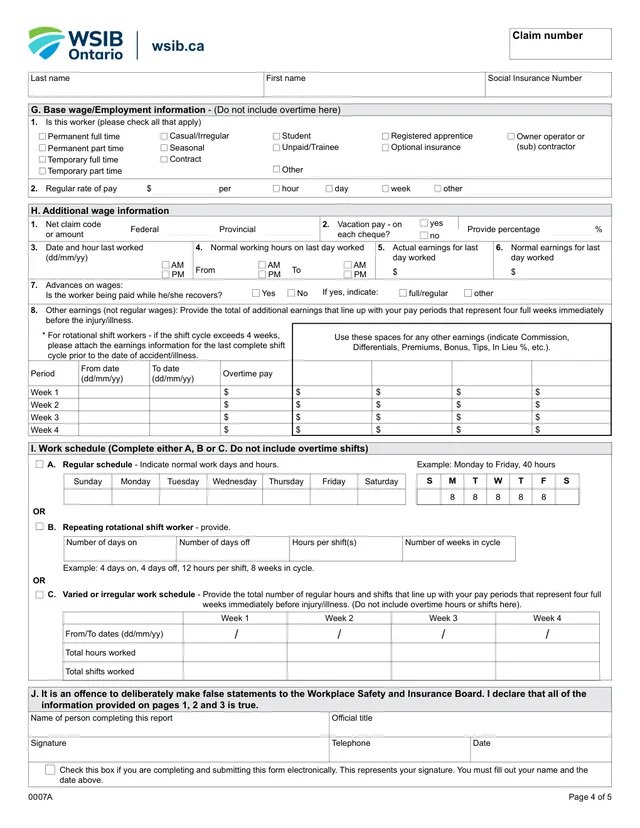
- Preview page 4 to confirm the form name and revision.
- Select Fill form to answer the form one page at a time.
- Type an answer for each field; checkboxes and choices use the form’s own options.
- Preview the finished pages, then download the flattened PDF.
- The downloaded copy is image-only, so it cannot be edited as a form again.
Fill only the fields that apply and keep a copy of the finished PDF. The editor keeps the original layout while you fill the existing fields.