What's inside
Form content
crew deal memo page 1 of 3
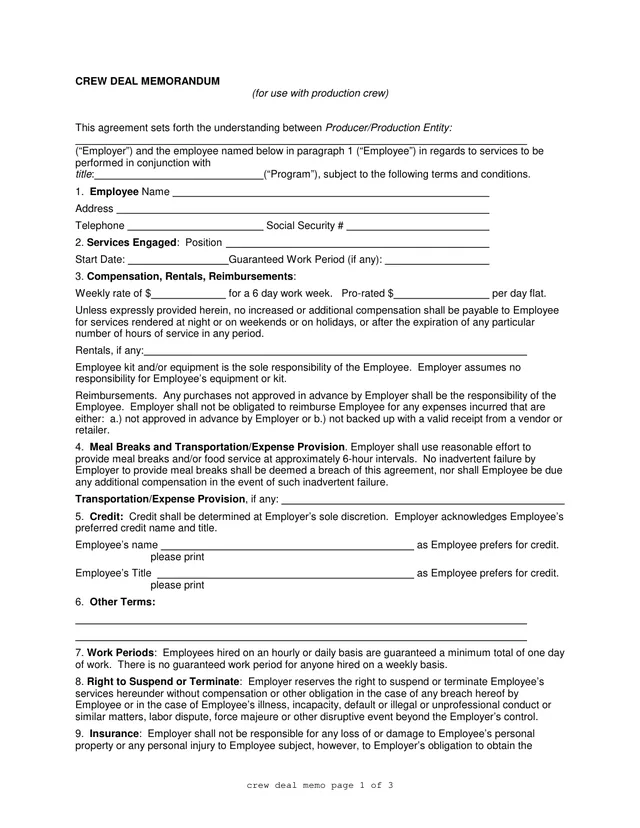
CREW DEAL MEMORANDUM
(for use with production crew)
This agreement sets forth the understanding between Producer/Production Entity:
(“Employer”) and the employee named below in paragraph 1 (“Employee”) in regards to services to be performed in conjunction with title:
(“Program”), subject to the following terms and conditions.
1. Employee Name
Address
Telephone
Social Security #
2. Services Engaged: Position
Start Date:
Guaranteed Work Period (if any):
3. Compensation, Rentals, Reimbursements:
Weekly rate of $ for a 6 day work week. Pro-rated $ per day flat.
Unless expressly provided herein, no increased or additional compensation shall be payable to Employee for services rendered at night or on weekends or on holidays, or after the expiration of any particular number of hours of service in any period.
Rentals, if any:
Employee kit and/or equipment is the sole responsibility of the Employee. Employer assumes no responsibility for Employee’s equipment or kit.
Reimbursements. Any purchases not approved in advance by Employer shall be the responsibility of the
Employee. Employer shall not be obligated to reimburse Employee for any expenses incurred that are e
How to fill it
Fill or edit this form in MePDF
- Preview page 1 to confirm the form name and revision.
- Select Fill form to answer the form one page at a time.
- Type an answer for each field; checkboxes and choices use the form’s own options.
- Preview the finished pages, then download the flattened PDF.
- The downloaded copy is image-only, so it cannot be edited as a form again.
Match the employer's legal name and the employee's tax details. The editor keeps the original layout while you fill the existing fields.