What's inside
Form content
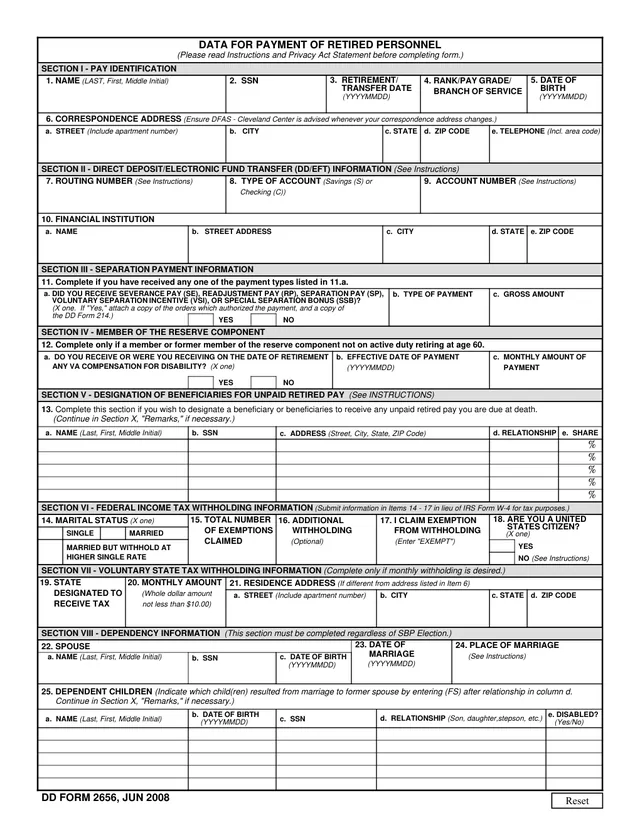
DATA FOR PAYMENT OF RETIRED PERSONNEL
PRIVACY ACT STATEMENT
AUTHORITY: 10 U.S. Code 1477 et seq (Survivor Benefit Plan), and E.O. 9397 (Social Security number).
PRINCIPAL PURPOSE(S): To collect information needed to establish a retired/retainer pay account.
ROUTINE USE(S): Information may be provided to the Internal Revenue Service to resolve matters relating to an individual's claim for tax withholding; to the Department of Justice or to state and local governments when a question of conflicting interest is raised concerning an individual's declaration; to the Department of Veterans Affairs (DVA) regarding establishments, changes, and discontinuing of DVA compensation to retirees and annuitants; and to the Office of Personnel Management when the matter of verifying the individual's certification of not being employed by another government agency is required.
DISCLOSURE: Voluntary; however, failure to furnish requested information will result in delays in initiating pay.
INSTRUCTIONS
GENERAL.
1. Read these instructions and Privacy Act Statement carefully before completing the data form.
2. The Defense Finance and Accounting Service (DFAS) - Cleveland will establish your retired/ret
How to fill it
Fill or edit this form in MePDF
- Preview page 3 to confirm the form name and revision.
- Select Fill form to answer the form one page at a time.
- Type an answer for each field; checkboxes and choices use the form’s own options.
- Preview the finished pages, then download the flattened PDF.
- The downloaded copy is image-only, so it cannot be edited as a form again.
Fill only the fields that apply and keep a copy of the finished PDF. The editor keeps the original layout while you fill the existing fields.