What's inside
Form content
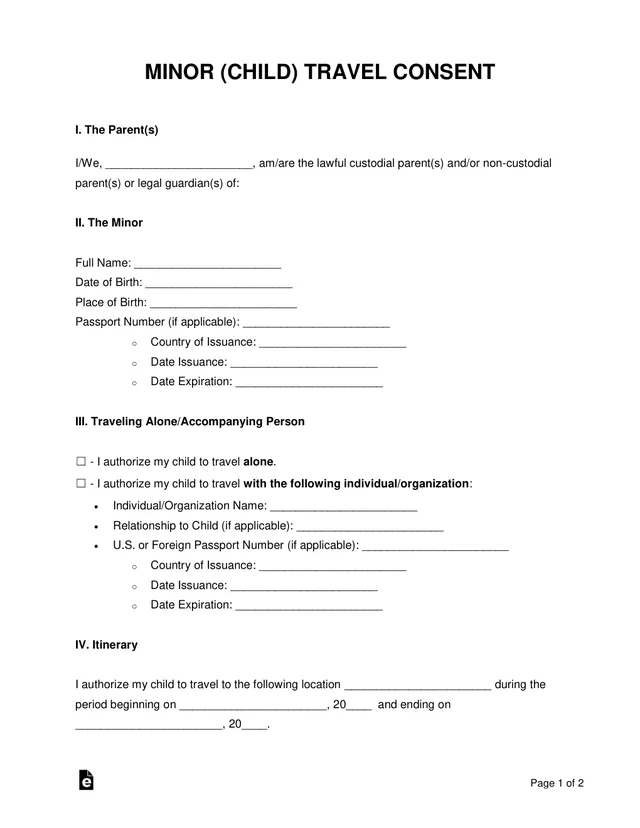
MINOR (CHILD) TRAVEL CONSENT
I. The Parent(s)
I/We, _______________________, am/are the lawful custodial parent(s) and/or non-custodial parent(s) or legal guardian(s) of:
II. The Minor
Full Name: _______________________
Date of Birth: _______________________
Place of Birth: _______________________
Passport Number (if applicable): _______________________ o
Country of Issuance: _______________________ o
Date Issuance: _______________________ o
Date Expiration: _______________________
III. Traveling Alone/Accompanying Person
☐ - I authorize my child to travel alone.
☐ - I authorize my child to travel with the following individual/organization:
•
Individual/Organization Name: _______________________
•
Relationship to Child (if applicable): _______________________
•
U.S. or Foreign Passport Number (if applicable): _______________________ o
Country of Issuance: _______________________ o
Date Issuance: _______________________ o
Date Expiration: _______________________
IV. Itinerary
I authorize my child to travel to the following location _______________________ during the period beginning on _______________________, 20____ and ending on
_______________________, 20____.
V. Signature(s)
Par
How to fill it
Fill or edit this form in MePDF
- Preview page 1 to confirm the form name and revision.
- Select Fill form to answer the form one page at a time.
- Type an answer for each field; checkboxes and choices use the form’s own options.
- Preview the finished pages, then download the flattened PDF.
- The downloaded copy is image-only, so it cannot be edited as a form again.
Spell names exactly as they appear in the passport. The editor keeps the original layout while you fill the existing fields.