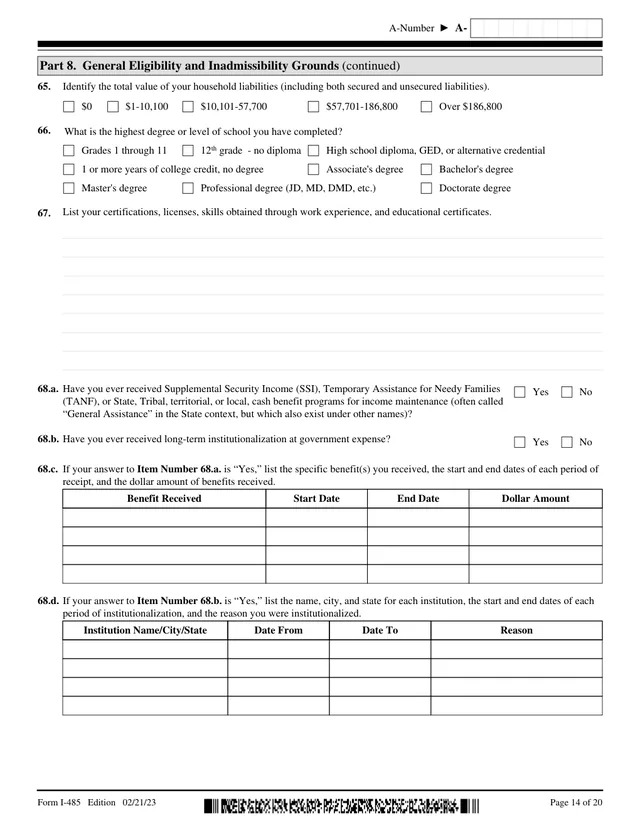
First page of i-485 Page 14 preview

Other · United States / General

i-485

Form I-485, Application to Register Permanent Residence

0Views
0Downloads
20Pages
723Fields
Fill form

Form details

Category
Other
Country
United States / General
Pages
20
Fields
723
Type
Fillable PDF
Added
25 Nov 2026

What's inside

Form content

Form I-485 Edition 02/21/23
1.b.
1.c.
1.a.
Family Name
(Last Name)
Given Name
(First Name)
Middle Name
Your Current Legal Name (do not provide a nickname)
Application to Register Permanent Residence or Adjust Status
Department of Homeland Security
U.S. Citizenship and Immigration Services
USCIS
Expires 02/28/2026
Priority Date:
Country Chargeable:
INA 209(a)
INA 249
Section of Law
INA 245(a)
INA 245(i)
INA 245(m)
Sec. 13, Act of 9/11/57
Cuban Adjustment Act
Other
Lawful Permanent
Resident as of:
Date of
Initial Interview:
Action Block
Receipt
Interview
Waived
Applicant
Interviewed
Date Form I-693 Received:
Attorney State Bar Number
(if applicable)
Select this box if
Form G-28 is attached.
Volag Number
(if any)
Attorney or Accredited Representative
USCIS Online Account Number (if any)
To be completed by an attorney or accredited representative (if any).
For USCIS Use Only
START HERE - Type or print in black ink.
►
NOTE TO ALL APPLICANTS: If you do not completely fill out this application or fail to submit required documents listed in the
Instructions, U.S. Citizenship and Immigration Services (USCIS) may deny your application.
Part 1. Information About You (Person applying for lawfu

FieldsPDF417BarCode2NOTE TO ALL APPLICANTS: If you do not completely fill out this application or fail to submit required documents listed in the Instructions, U.S. Citizenship and Immigration Services (U S C I S) may deny your application. Part 1. Information About You (Person applying for lawful permanent residence). Your Current Legal Name (do not provide a nickname). 1. A. Enter Family Name (Last Name).Part 1. Information About You (Person applying for lawful permanent residence). Your Current Legal Name (do not provide a nickname). 1. B. Enter Given Name (First Name).Part 1. Information About You (Person applying for lawful permanent residence). Your Current Legal Name (do not provide a nickname). 1. C. Enter Middle Name.To be completed by an attorney or accredited representative, if any. Enter Attorney State Bar Number, if applicable.To be completed by an attorney or accredited representative, if any. Select this box if Form G-28 is attached.To be completed by an attorney or accredited representative, if any. Enter Volag Number, if any.To be completed by an attorney or accredited representative, if any. Enter Attorney or Accredited Representative U S C I S Online Account Number, if any.Enter Alien Registration Number (A. Number).Part 1. Information About You (Person applying for lawful permanent residence). Other Names You Have Used Since Birth (if applicable). NOTE: Provide all other names you have ever used, including your family name at birth, other legal names, nicknames, aliases, and assumed names. If you need extra space to complete this section, use the space provided in Part 14. Additional Information. 2. A. Enter Family Name (Last Name).Part 1. Information About You (Person applying for lawful permanent residence). Other Names You Have Used Since Birth (if applicable). 2. B. Enter Given Name (First Name).Part 1. Information About You (Person applying for lawful permanent residence). Other Names You Have Used Since Birth (if applicable). 2. C. Enter Middle Name.

How to fill it

Fill or edit this form in MePDF

  1. Preview page 14 to confirm the form name and revision.
  2. Select Fill form to answer the form one page at a time.
  3. Type an answer for each field; checkboxes and choices use the form’s own options.
  4. Preview the finished pages, then download the flattened PDF.
  5. The downloaded copy is image-only, so it cannot be edited as a form again.

Fill only the fields that apply and keep a copy of the finished PDF. The editor keeps the original layout while you fill the existing fields.