What's inside
Form content
1
CCL.034
Curtis State Office Building
Rev. 07/2024
Kansas Department of Health and Environment
1000 SW Jackson, Suite 200
Topeka, KS 66612-1274
Phone: 785-296-1270 | Fax 785-559-4244
Email: [email protected] | kdhe.ks.gov/Childcare Licensing
Permission Form for Children to go Off-Premises
Name of the Facility (exactly as stated on the license)
License #
Street Address of the Facility
City
Zip Code
County
_______________________________________may go to the following locations off the premises with adult supervision:
First and Last Name of Child or Youth
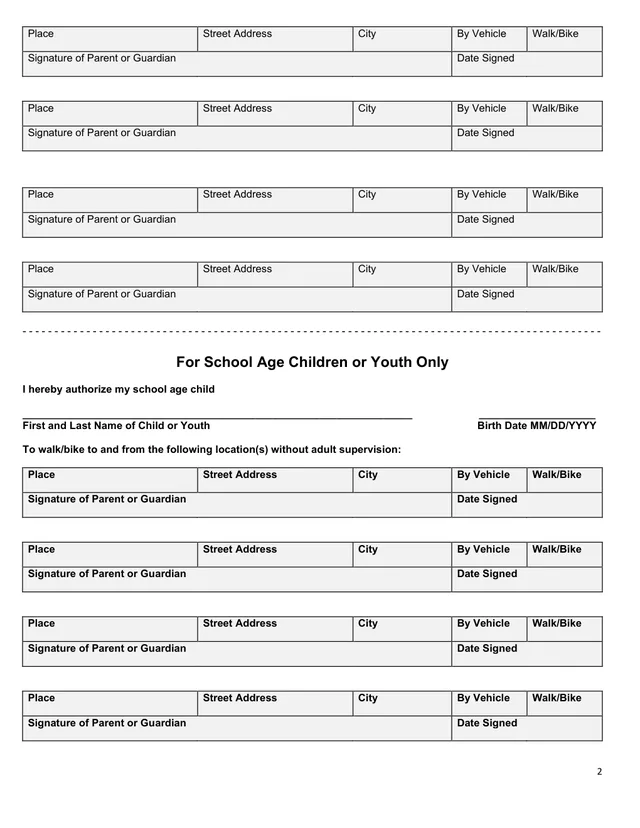
Place
Street Address
City
By Vehicle
Walk/Bike
Signature of Parent or Guardian
Date Signed
Place
Street Address
City
By Vehicle
Walk/Bike
Signature of Parent or Guardian
Date Signed
Place
Street Address
City
By Vehicle
Walk/Bike
Signature of Parent or Guardian
Date Signed
Place
Street Address
City
By Vehicle
Walk/Bike
Signature of Parent or Guardian
Date Signed
Place
Street Address
City
By Vehicle
Walk/Bike
Signature of Parent or Guardian
Date Signed
Place
Street Address
City
By Vehicle
Walk/Bike
Signature of Parent or Guardian
Date Signed
2
Place
Street Address
City
By Vehicle
Walk/Bike
Signature of Parent or Guardian
Date Signed
P
How to fill it
Fill or edit this form in MePDF
- Preview page 2 to confirm the form name and revision.
- Select Fill form to answer the form one page at a time.
- Type an answer for each field; checkboxes and choices use the form’s own options.
- Preview the finished pages, then download the flattened PDF.
- The downloaded copy is image-only, so it cannot be edited as a form again.
Spell names exactly as they appear in the passport. The editor keeps the original layout while you fill the existing fields.