What's inside
Form content
R-2000 (2/21)
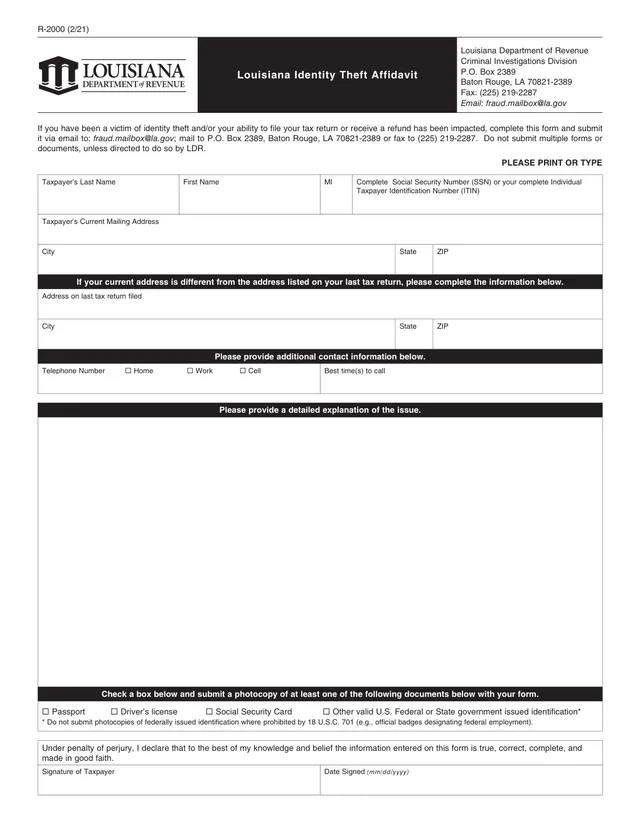
Louisiana Identity Theft Affidavit
Louisiana Department of Revenue
Criminal Investigations Division
P.O. Box 2389
Baton Rouge, LA 70821-2389
Fax: (225) 219-2287
Email: [email protected]
If you have been a victim of identity theft and/or your ability to file your tax return or receive a refund has been impacted, complete this form and submit it via email to: [email protected]; mail to P.O. Box 2389, Baton Rouge, LA 70821-2389 or fax to (225) 219-2287. Do not submit multiple forms or documents, unless directed to do so by LDR.
PLEASE PRINT OR TYPE
Taxpayer’s Last Name
First Name
MI
Complete Social Security Number (SSN) or your complete Individual
Taxpayer Identification Number (ITIN)
Taxpayer’s Current Mailing Address
City
State
ZIP
If your current address is different from the address listed on your last tax return, please complete the information below.
Address on last tax return filed
City
State
ZIP
Please provide additional contact information below.
Telephone Number Home Work Cell
( )
Best time(s) to call
Please provide a detailed explanation of the issue.
Check a box below and submit a photocopy of at least one of the following documents below with you
How to fill it
Fill or edit this form in MePDF
- Preview page 1 to confirm the form name and revision.
- Select Fill form to answer the form one page at a time.
- Type an answer for each field; checkboxes and choices use the form’s own options.
- Preview the finished pages, then download the flattened PDF.
- The downloaded copy is image-only, so it cannot be edited as a form again.
Keep the tax year and filing status consistent on every page. The editor keeps the original layout while you fill the existing fields.