What's inside
Form content
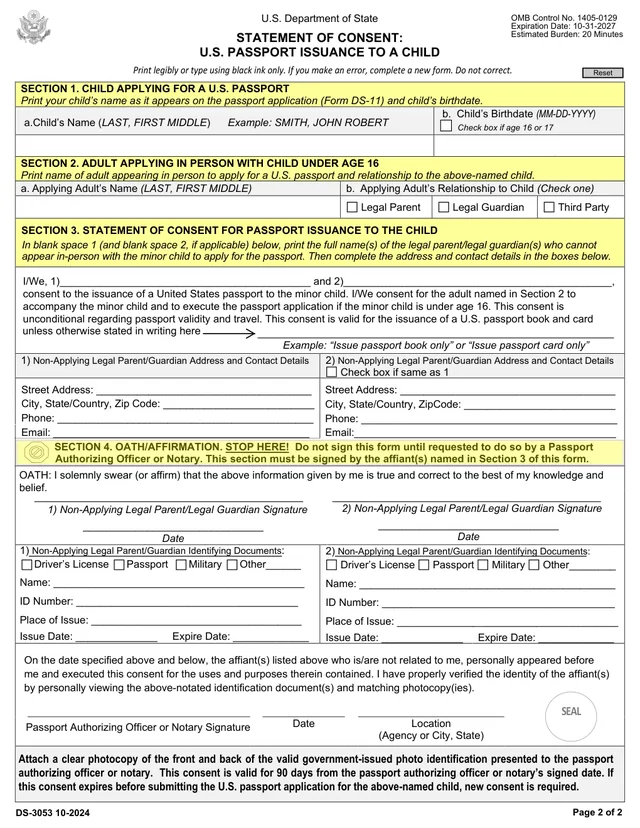
U.S. Department of State
STATEMENT OF CONSENT:
U.S. PASSPORT ISSUANCE TO A CHILD
Print legibly or type using black ink only. If you make an error, complete a new form. Do not correct.
DS-3053 10-2024
USE OF THIS FORM
This form is used with a U.S. passport application (Form DS-11) when one or both legal parents and/or legal guardians cannot appear in person with their minor child to apply for their child’s U.S. passport. Both legal parents/legal guardians may also use this form to authorize a third party to apply for a child's passport on the parents/guardians’ behalf. A separate notarized written statement with all details in this form may be submitted in lieu of this form.
•
Children Under Age 16: Both legal parents/legal guardians must appear in person with their minor child to apply for a U.S. passport. If one or both parent/guardian(s) cannot appear in person with their child, they must submit this form or a separate statement consenting to passport issuance which must be signed and sworn under oath before a passport authorizing officer or notary.
•
Children Ages 16 and 17: Parental awareness is required by one legal parent/legal guardian to issue the child a U.S. passport. In
How to fill it
Fill or edit this form in MePDF
- Preview page 2 to confirm the form name and revision.
- Select Fill form to answer the form one page at a time.
- Type an answer for each field; checkboxes and choices use the form’s own options.
- Preview the finished pages, then download the flattened PDF.
- The downloaded copy is image-only, so it cannot be edited as a form again.
Spell names exactly as they appear in the passport. The editor keeps the original layout while you fill the existing fields.