What's inside
Form content
COM/RAD-096a
06/24
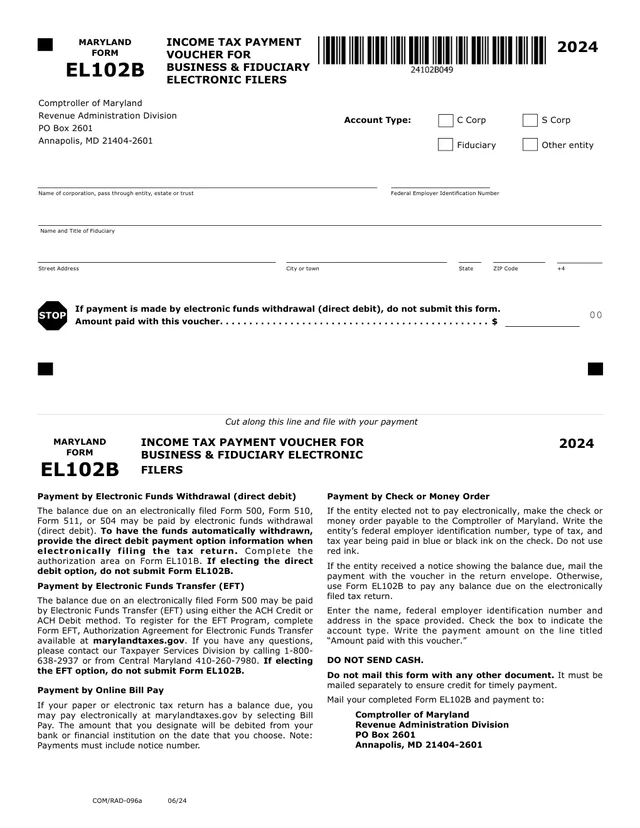
INCOME TAX PAYMENT
VOUCHER FOR
BUSINESS & FIDUCIARY
ELECTRONIC FILERS
Comptroller of Maryland
Revenue Administration Division
PO Box 2601
Annapolis, MD 21404-2601
2024
Account Type:
C Corp
S Corp
Fiduciary
Other entity
Cut along this line and file with your payment
INCOME TAX PAYMENT VOUCHER FOR
BUSINESS & FIDUCIARY ELECTRONIC
FILERS
2024
MARYLAND
FORM
EL102B
MARYLAND
FORM
EL102B
Name of corporation, pass through entity, estate or trust
Federal Employer Identification Number
Name and Title of Fiduciary
Street Address
City or town
State
ZIP Code
+4
00
If payment is made by electronic funds withdrawal (direct debit), do not submit this form.
Amount paid with this voucher. . . . . . . . . . . . . . . . . . . . . . . . . . . . . . . . . . . . . . . . . . . . . . . $
STOP
Payment by Electronic Funds Withdrawal (direct debit)
The balance due on an electronically filed Form 500, Form 510,
Form 511, or 504 may be paid by electronic funds withdrawal
(direct debit). To have the funds automatically withdrawn, provide the direct debit payment option information when electronically filing the tax return. Complete the authorization area on Form EL101B. If electing the direct d
How to fill it
Fill or edit this form in MePDF
- Preview page 1 to confirm the form name and revision.
- Select Fill form to answer the form one page at a time.
- Type an answer for each field; checkboxes and choices use the form’s own options.
- Preview the finished pages, then download the flattened PDF.
- The downloaded copy is image-only, so it cannot be edited as a form again.
Keep the tax year and filing status consistent on every page. The editor keeps the original layout while you fill the existing fields.