What's inside
Form content
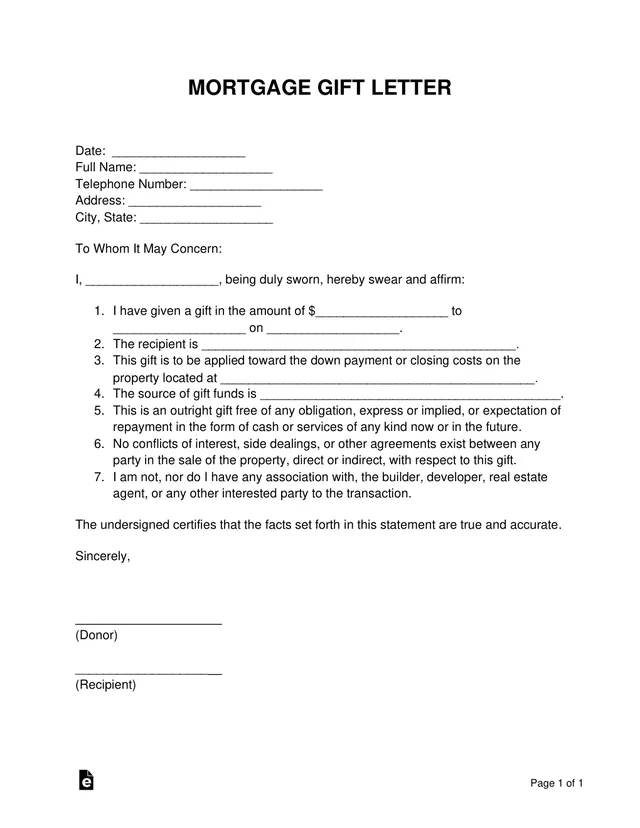
MORTGAGE GIFT LETTER
Date: ___________________
Full Name: ___________________
Telephone Number: ___________________
Address: ___________________
City, State: ___________________
To Whom It May Concern:
I, ___________________, being duly sworn, hereby swear and affirm:
1. I have given a gift in the amount of $___________________ to
___________________ on ___________________.
2. The recipient is _____________________________________________.
3. This gift is to be applied toward the down payment or closing costs on the property located at _____________________________________________.
4. The source of gift funds is ___________________________________________.
5. This is an outright gift free of any obligation, express or implied, or expectation of repayment in the form of cash or services of any kind now or in the future.
6. No conflicts of interest, side dealings, or other agreements exist between any party in the sale of the property, direct or indirect, with respect to this gift.
7. I am not, nor do I have any association with, the builder, developer, real estate agent, or any other interested party to the transaction.
The undersigned certifies that the facts set forth in this stat
How to fill it
Fill or edit this form in MePDF
- Preview page 1 to confirm the form name and revision.
- Select Fill form to answer the form one page at a time.
- Type an answer for each field; checkboxes and choices use the form’s own options.
- Preview the finished pages, then download the flattened PDF.
- The downloaded copy is image-only, so it cannot be edited as a form again.
Copy figures exactly from the statement and keep the currency clear. The editor keeps the original layout while you fill the existing fields.