What's inside
Form content
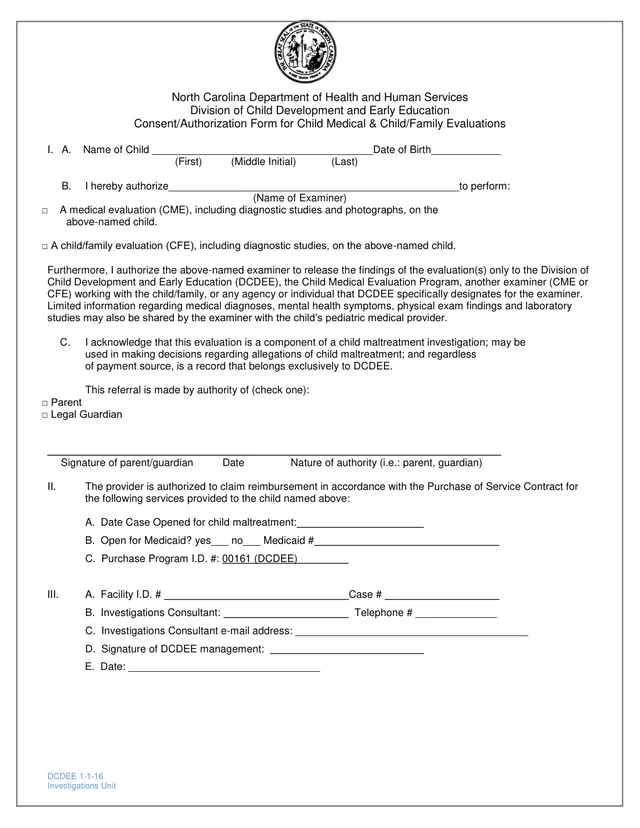
North Carolina Department of Health and Human Services
Division of Child Development and Early Education
Consent/Authorization Form for Child Medical & Child/Family Evaluations
DCDEE 1-1-16
Investigations Unit
I. A. Name of Child ______________________________________Date of Birth____________
(First) (Middle Initial)
(Last)
B.
I hereby authorize__________________________________________________to perform:
(Name of Examiner)
□ A medical evaluation (CME), including diagnostic studies and photographs, on the above-named child.
□ A child/family evaluation (CFE), including diagnostic studies, on the above-named child.
Furthermore, I authorize the above-named examiner to release the findings of the evaluation(s) only to the Division of
Child Development and Early Education (DCDEE), the Child Medical Evaluation Program, another examiner (CME or
CFE) working with the child/family, or any agency or individual that DCDEE specifically designates for the examiner.
Limited information regarding medical diagnoses, mental health symptoms, physical exam findings and laboratory studies may also be shared by the examiner with the child’s pediatric medical provider.
C.
I acknowledge that this evaluat
How to fill it
Fill or edit this form in MePDF
- Preview page 1 to confirm the form name and revision.
- This PDF has no interactive fields, so the fill wizard cannot ask for answers.
- Use the page preview to check the form, then download or print it from the issuing agency.
Spell names exactly as they appear in the passport. Add only the fields the form needs, then flatten the copy when you export.