What's inside
Form content
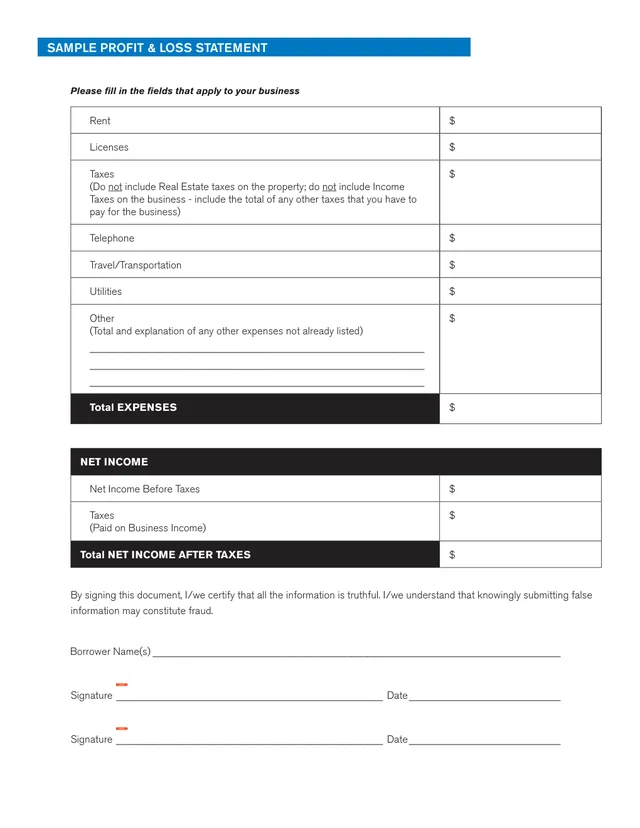
SAMPLE PROFIT & LOSS STATEMENT
(Over, please)
Any borrower(s) who is/are self-employed or an independent contractor should complete this form if they do not already have their own profit and loss form.
Company Name:_ _________________________________________________ Percent of Ownership
_%
Company Address:
_
Type of Business:________________________________________________________________________________
Borrower Name(s):_ _____________________________________________________________________________
Loan Number:
_
Dates Reported (MM/DD/YY - MM/DD/YY)_ _______________________________________________________
(Must be minimum of 3 full months)
Please fill in the fields that apply to your business
GROSS INCOME
Gross Sales
(Total amount of income from sales or service before subtracting expenses)
$
Other Income
(Any other additional funds earned through the company such as payments from people leasing space or payments from investors)
$
Total GROSS INCOME BEFORE TAXES
$
EXPENSES
Cost of Goods Sold
(Direct costs to produce or obtain the goods sold by the company)
$
Accounting and Legal Fees
$
Advertising
$
Insurance
(Do not include homeowner insurance)
$
Maintenance and Repairs
$
Supplie
How to fill it
Fill or edit this form in MePDF
- Preview page 2 to confirm the form name and revision.
- Select Fill form to answer the form one page at a time.
- Type an answer for each field; checkboxes and choices use the form’s own options.
- Preview the finished pages, then download the flattened PDF.
- The downloaded copy is image-only, so it cannot be edited as a form again.
Copy figures exactly from the statement and keep the currency clear. The editor keeps the original layout while you fill the existing fields.