What's inside
Form content
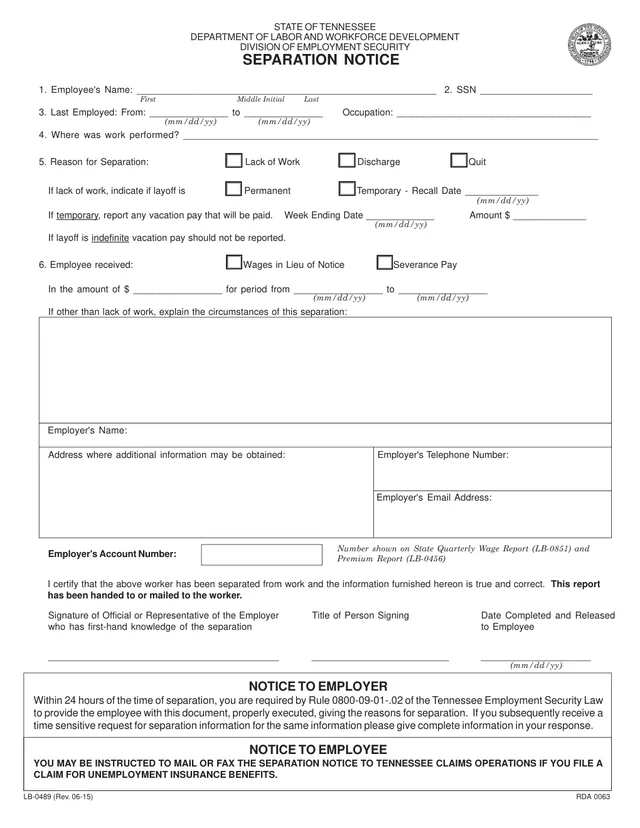
SEPARATION NOTICE
1. Employee's Name: ________________________________________________________ 2. SSN _____________________
3. Last Employed: From: _______________ to _______________ Occupation: _____________________________________
4. Where was work performed? _____________________________________________________________________________
5. Reason for Separation:
Lack of Work
Discharge
Quit
If lack of work, indicate if layoff is
Permanent
Temporary - Recall Date ______________
If temporary, report any vacation pay that will be paid. Week Ending Date _____________
Amount $ ______________
If layoff is indefinite vacation pay should not be reported.
6. Employee received:
Wages in Lieu of Notice
Severance Pay
In the amount of $ _________________ for period from _________________ to _________________
If other than lack of work, explain the circumstances of this separation:
NOTICE TO EMPLOYEE
YOU MAY BE INSTRUCTED TO MAIL OR FAX THE SEPARATION NOTICE TO TENNESSEE CLAIMS OPERATIONS IF YOU FILE A
CLAIM FOR UNEMPLOYMENT INSURANCE BENEFITS.
NOTICE TO EMPLOYER
Within 24 hours of the time of separation, you are required by Rule 0800-09-01-.02 of the Tennessee Employment Security
How to fill it
Fill or edit this form in MePDF
- Preview page 1 to confirm the form name and revision.
- Select Fill form to answer the form one page at a time.
- Type an answer for each field; checkboxes and choices use the form’s own options.
- Preview the finished pages, then download the flattened PDF.
- The downloaded copy is image-only, so it cannot be edited as a form again.
Match the employer's legal name and the employee's tax details. The editor keeps the original layout while you fill the existing fields.