What's inside
Form content
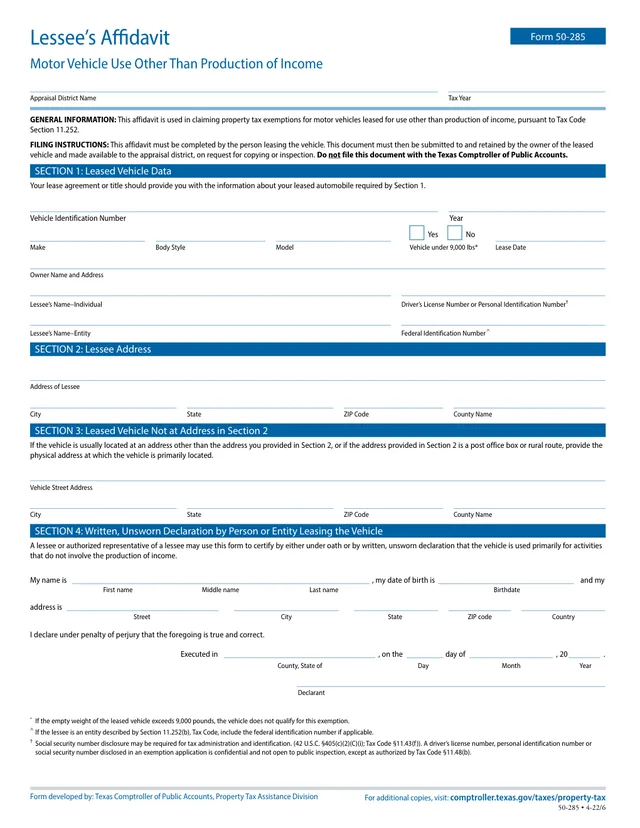
Lessee’s Affidavit
Motor Vehicle Use Other Than Production of Income
______________________________________________________________________________ ______________________________
Appraisal District Name
Tax Year
GENERAL INFORMATION: This affidavit is used in claiming property tax exemptions for motor vehicles leased for use other than production of income, pursuant to Tax Code
Section 11.252.
FILING INSTRUCTIONS: This affidavit must be completed by the person leasing the vehicle. This document must then be submitted to and retained by the owner of the leased vehicle and made available to the appraisal district, on request for copying or inspection. Do not file this document with the Texas Comptroller of Public Accounts.
SECTION 1: Leased Vehicle Data
Your lease agreement or title should provide you with the information about your leased automobile required by Section 1.
______________________________________________________________________________ ______________________________
Vehicle Identification Number
Year
______________________ _____________________ ______________________ Yes No _____________________
Make
Body Style
Model
Vehicle under 9,000 lbs*
Lease Date
_____________
How to fill it
Fill or edit this form in MePDF
- Preview page 1 to confirm the form name and revision.
- Select Fill form to answer the form one page at a time.
- Type an answer for each field; checkboxes and choices use the form’s own options.
- Preview the finished pages, then download the flattened PDF.
- The downloaded copy is image-only, so it cannot be edited as a form again.
Keep the tax year and filing status consistent on every page. The editor keeps the original layout while you fill the existing fields.