What's inside
Form content
(Rev. October 2021)
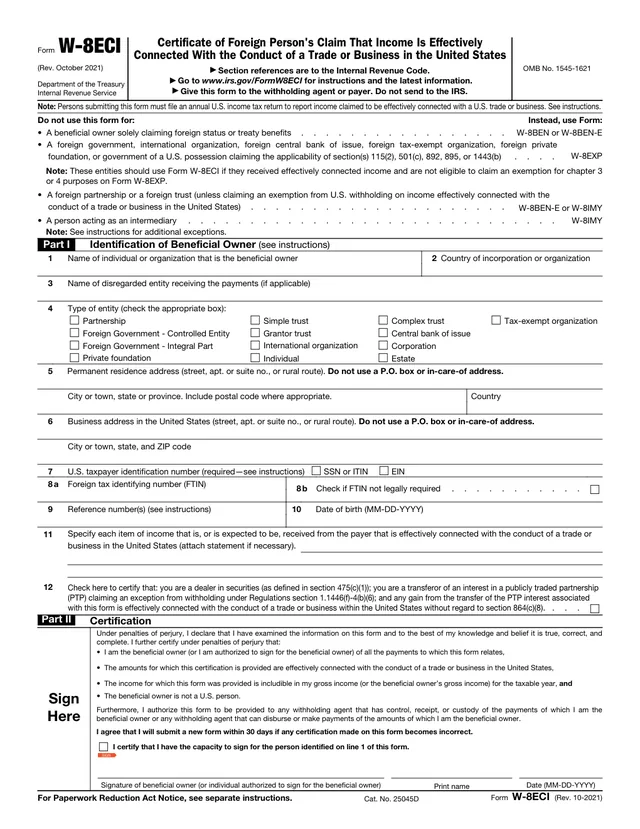
Certificate of Foreign Person's Claim That Income Is Effectively
Connected With the Conduct of a Trade or Business in the United States
▶ Section references are to the Internal Revenue Code.
▶ Go to www.irs.gov/FormW8ECI for instructions and the latest information.
▶ Give this form to the withholding agent or payer. Do not send to the IRS.
Note: Persons submitting this form must file an annual U.S. income tax return to report income claimed to be effectively connected with a U.S. trade or business. See instructions.
Do not use this form for:
Instead, use Form:
• A beneficial owner solely claiming foreign status or treaty benefits
.
.
.
.
.
.
.
.
.
.
.
.
.
.
.
.
.
W-8BEN or W-8BEN-E
• A foreign government, international organization, foreign central bank of issue, foreign tax-exempt organization, foreign private foundation, or government of a U.S. possession claiming the applicability of section(s) 115(2), 501(c), 892, 895, or 1443(b)
.
.
.
.
W-8EXP
Note: These entities should use Form W-8ECI if they received effectively connected income and are not eligible to claim an exemption for chapter 3 or 4 purposes on Form W-8EXP.
• A foreign partnership or a foreign tru
How to fill it
Fill or edit this form in MePDF
- Preview page 1 to confirm the form name and revision.
- Select Fill form to answer the form one page at a time.
- Type an answer for each field; checkboxes and choices use the form’s own options.
- Preview the finished pages, then download the flattened PDF.
- The downloaded copy is image-only, so it cannot be edited as a form again.
Keep the tax year and filing status consistent on every page. The editor keeps the original layout while you fill the existing fields.