What's inside
Form content
Protected B when completed
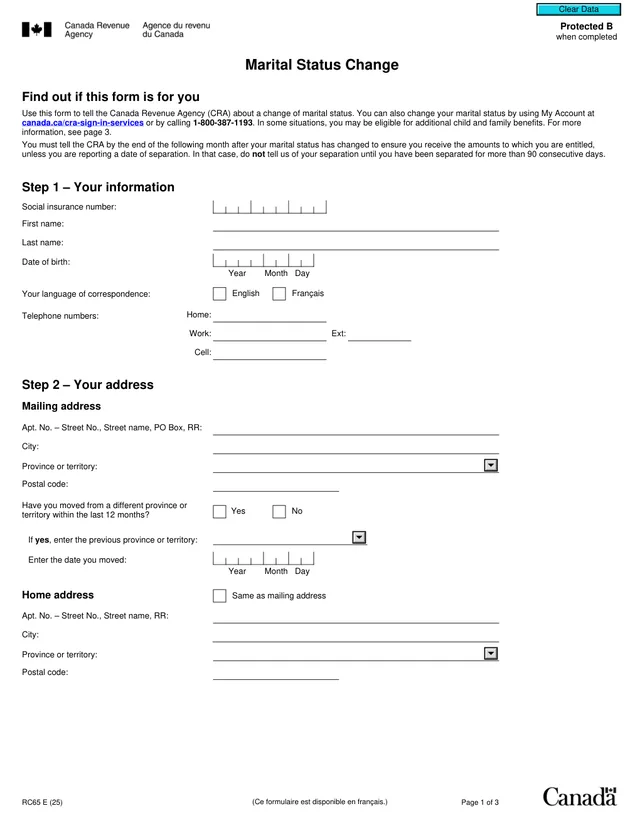
Marital Status Change
Find out if this form is for you
Use this form to tell the Canada Revenue Agency (CRA) about a change of marital status. You can also change your marital status by using My Account at canada.ca/cra-sign-in-services or by calling 1-800-387-1193. In some situations, you may be eligible for additional child and family benefits. For more information, see page 3.
You must tell the CRA by the end of the following month after your marital status has changed to ensure you receive the amounts to which you are entitled, unless you are reporting a date of separation. In that case, do not tell us of your separation until you have been separated for more than 90 consecutive days.
Step 1 – Your information
Social insurance number:
First name:
Last name:
Date of birth:
Year Month Day
Your language of correspondence:
English
Français
Telephone numbers:
Home:
Work:
Ext:
Cell:
Step 2 – Your address
Mailing address
Apt. No. – Street No., Street name, PO Box, RR:
City:
Province or territory:
Postal code:
Have you moved from a different province or territory within the last 12 months?
Yes
No
If yes, enter the previous province or territory:
Enter the dat
How to fill it
Fill or edit this form in MePDF
- Preview page 1 to confirm the form name and revision.
- Select Fill form to answer the form one page at a time.
- Type an answer for each field; checkboxes and choices use the form’s own options.
- Preview the finished pages, then download the flattened PDF.
- The downloaded copy is image-only, so it cannot be edited as a form again.
Keep the tax year and filing status consistent on every page. The editor keeps the original layout while you fill the existing fields.