What's inside
Form content
Protected B when completed
Status in Canada and Income Information for the Canada Child Benefit Application
Find out if this form is for you
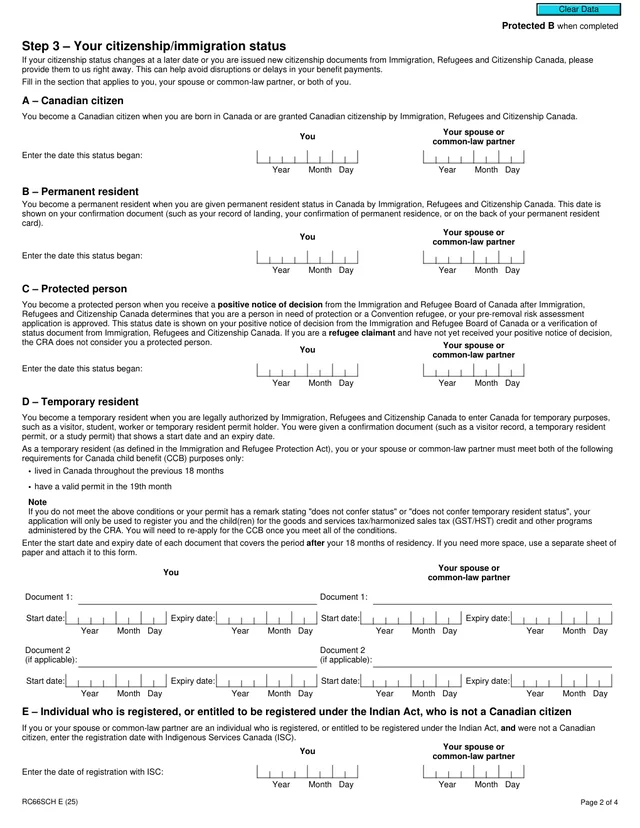
Fill out this form if any of the following situations apply. You, your spouse or common-law partner (if you have one), or both of you:
• became a resident of Canada (for example, a newcomer to Canada or a returning resident of Canada) in the last two years
• became a Canadian citizen within the last 12 months
• are, as defined in the Immigration and Refugee Protection Act, a permanent resident, protected person, or temporary resident who has lived in Canada for the previous 18 months
• are registered, or entitled to be registered under the Indian Act and are not a Canadian citizen
On this form, you will provide information about your and your spouse or common-law partner's residency status, citizenship and immigration statuses, and income. This information is used to determine your child and family benefits and credits.
You do not have to fill out this form if the information was previously submitted and has not changed.
Step 1 – Your information
Social insurance number (SIN):
First name:
Last name:
Your spouse or common-law partner's SIN:
Sel
How to fill it
Fill or edit this form in MePDF
- Preview page 2 to confirm the form name and revision.
- Select Fill form to answer the form one page at a time.
- Type an answer for each field; checkboxes and choices use the form’s own options.
- Preview the finished pages, then download the flattened PDF.
- The downloaded copy is image-only, so it cannot be edited as a form again.
Keep the tax year and filing status consistent on every page. The editor keeps the original layout while you fill the existing fields.