What's inside
Form content
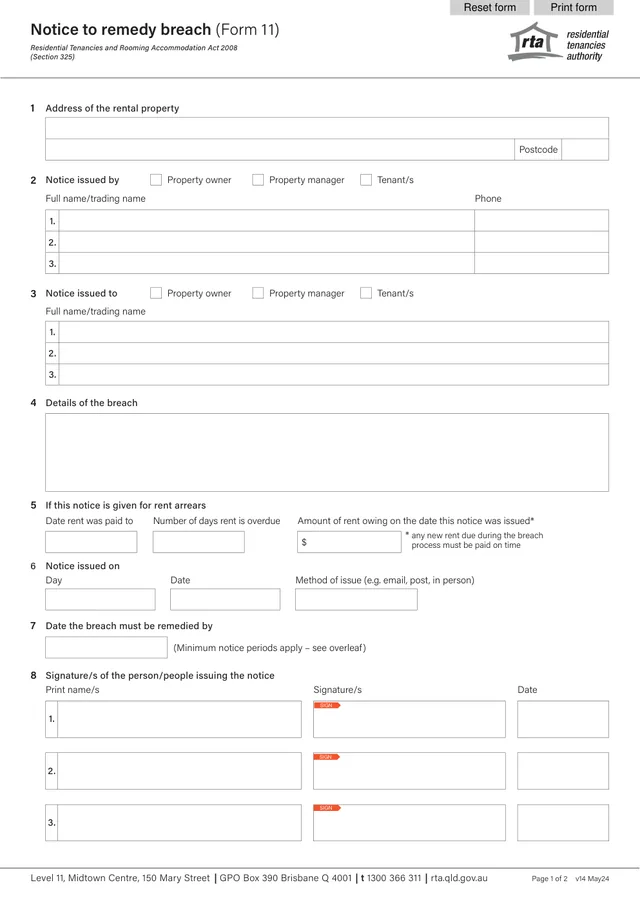
Notice to remedy breach (Form 11)
Residential Tenancies and Rooming Accommodation Act 2008
(Section 325)
Page 1 of 2 v14 May24
Level 11, Midtown Centre, 150 Mary Street | GPO Box 390 Brisbane Q 4001 | t 1300 366 311 | rta.qld.gov.au
1
Address of the rental property
Postcode
2
Notice issued by
Property owner
Property manager
Tenant/s
Full name/trading name
Phone
1.
2.
3.
3
Notice issued to
Property owner
Property manager
Tenant/s
Full name/trading name
1.
2.
3.
4 Details of the breach
5 If this notice is given for rent arrears
Date rent was paid to
Number of days rent is overdue
Amount of rent owing on the date this notice was issued*
$
* any new rent due during the breach process must be paid on time
6 Notice issued on
Day
Date
Method of issue (e.g. email, post, in person)
7 Date the breach must be remedied by
(Minimum notice periods apply – see overleaf)
8 Signature/s of the person/people issuing the notice
Print name/s
Signature/s
Date
1.
2.
3.
Reset form
Print form
SIGN
SIGN
SIGN
Notice to remedy breach (Form 11)
Residential Tenancies and Rooming Accommodation Act 2008
(Section 325)
Page 2 of 2 v14 May24
Level 11, Midtown Centre, 150 Mary Street | GPO Box 390 Brisbane Q 4001 | t
How to fill it
Fill or edit this form in MePDF
- Preview page 1 to confirm the form name and revision.
- Select Fill form to answer the form one page at a time.
- Type an answer for each field; checkboxes and choices use the form’s own options.
- Preview the finished pages, then download the flattened PDF.
- The downloaded copy is image-only, so it cannot be edited as a form again.
Keep the tax year and filing status consistent on every page. The editor keeps the original layout while you fill the existing fields.