What's inside
Form content
Attach copies of any supporting documents (e.g., signed contract, agreements, employment applications, invoices, prior IRS or state agency rulings on worker’s job class). In addition, complete a separate copy of this form for each job title/class. If you do not know an answer, write ‘do not know’ or NA, if not applicable.
Employing unit/business: Answer all questions, including Section III if it is applicable. If you are completing this form as required by Form DR-1, note that you do not need to submit this form if you have contracted with a distinct business, occupation or profession that serves the general public, e.g., a plumber, general contractor, or certified public accountant. Note: The issuance of a 1099 does not guarantee that a worker is an independent contractor and all corporate officers who perform services are automatically deemed employees of their corporation pursuant to Section
443.036, Florida Statutes. Submit only one copy of this form per job-class and not for individuals.
Worker: Answer all questions, including Section III if applicable, but not Section IV.
Section I
1. Name, address, telephone and fax number(s) of the employing unit/business: _ _______________
How to fill it
Fill or edit this form in MePDF
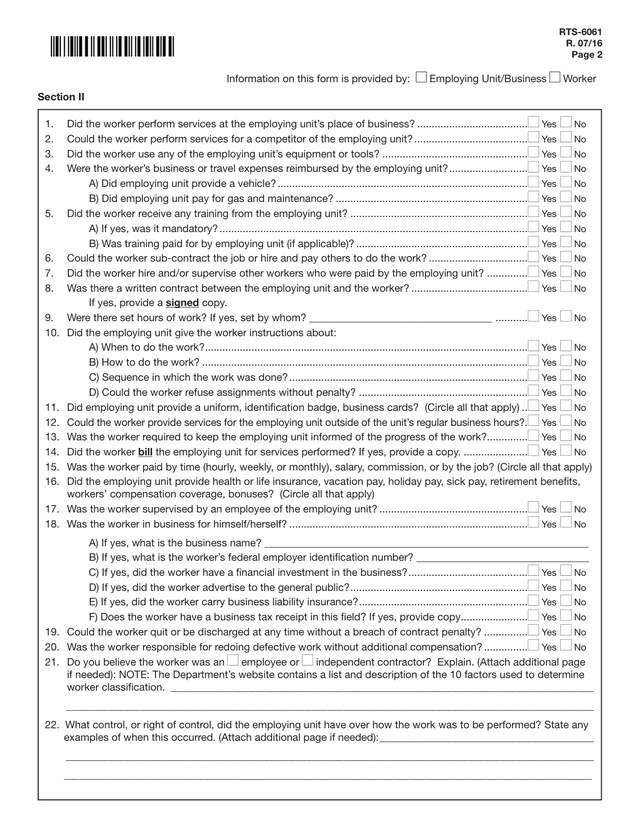
- Preview page 2 to confirm the form name and revision.
- Select Fill form to answer the form one page at a time.
- Type an answer for each field; checkboxes and choices use the form’s own options.
- Preview the finished pages, then download the flattened PDF.
- The downloaded copy is image-only, so it cannot be edited as a form again.
Match the employer's legal name and the employee's tax details. The editor keeps the original layout while you fill the existing fields.