What's inside
Form content
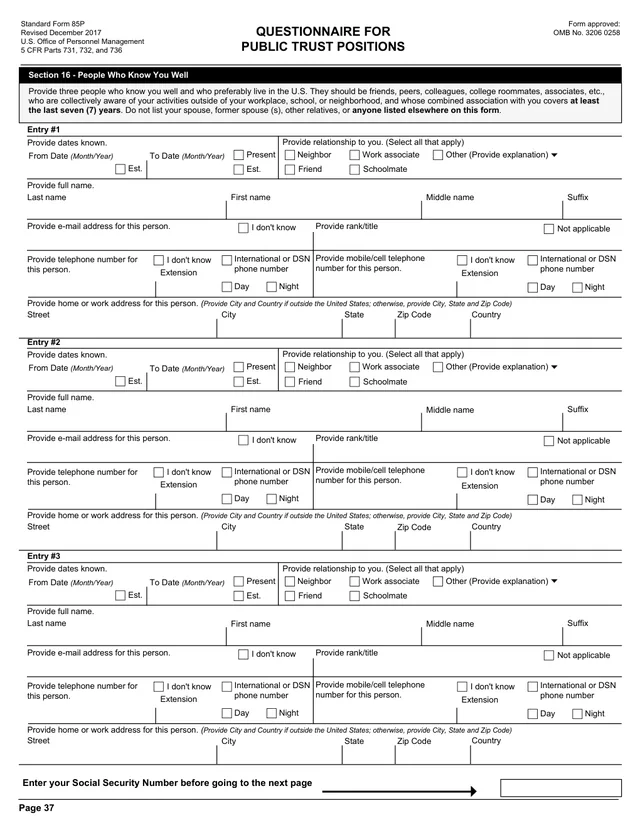
Standard Form 85P
Revised December 2017
U.S. Office of Personnel Management
5 CFR Parts 731, 732, and 736
QUESTIONNAIRE FOR
PUBLIC TRUST POSITIONS
Form approved:
Page 1
This form will be used by the United States (U.S.) Government in conducting background investigations and reinvestigations of persons under consideration for, or retention of, public trust positions as defined in 5 CFR
731. This form may also be used by agencies in determining whether a subject performing work for, or on behalf of, the Government under a contract should be deemed eligible for logical or physical access when duties to be performed by an employee of a contractor are equivalent to the duties performed by an employee in a public trust position. For applicants, this form is to be used only after a conditional offer of employment has been made.
This form is not to be used for National Security sensitive positions.
Providing this information is voluntary. If you do not provide each item of requested information, however, we will not be able to complete your investigation, which will adversely affect your eligibility for a public trust position or your ability to obtain or retain Federal or contract employm
How to fill it
Fill or edit this form in MePDF
- Preview page 37 to confirm the form name and revision.
- Select Fill form to answer the form one page at a time.
- Type an answer for each field; checkboxes and choices use the form’s own options.
- Preview the finished pages, then download the flattened PDF.
- The downloaded copy is image-only, so it cannot be edited as a form again.
Match the employer's legal name and the employee's tax details. The editor keeps the original layout while you fill the existing fields.