What's inside
Form content
Protected B when completed
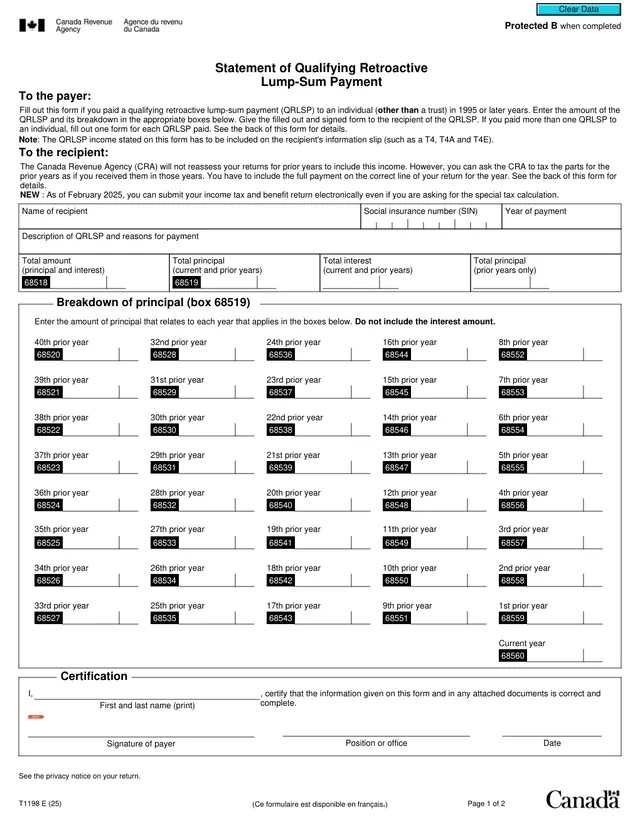
Statement of Qualifying Retroactive
Lump-Sum Payment
To the payer:
Fill out this form if you paid a qualifying retroactive lump-sum payment (QRLSP) to an individual (other than a trust) in 1995 or later years. Enter the amount of the
QRLSP and its breakdown in the appropriate boxes below. Give the filled out and signed form to the recipient of the QRLSP. If you paid more than one QRLSP to an individual, fill out one form for each QRLSP paid. See the back of this form for details.
Note: The QRLSP income stated on this form has to be included on the recipient's information slip (such as a T4, T4A and T4E).
To the recipient:
The Canada Revenue Agency (CRA) will not reassess your returns for prior years to include this income. However, you can ask the CRA to tax the parts for the prior years as if you received them in those years. You have to include the full payment on the correct line of your return for the year. See the back of this form for details.
NEW : As of February 2025, you can submit your income tax and benefit return electronically even if you are asking for the special tax calculation.
Name of recipient
Social insurance number (SIN)
Year of payme
How to fill it
Fill or edit this form in MePDF
- Preview page 1 to confirm the form name and revision.
- Select Fill form to answer the form one page at a time.
- Type an answer for each field; checkboxes and choices use the form’s own options.
- Preview the finished pages, then download the flattened PDF.
- The downloaded copy is image-only, so it cannot be edited as a form again.
Keep the tax year and filing status consistent on every page. The editor keeps the original layout while you fill the existing fields.