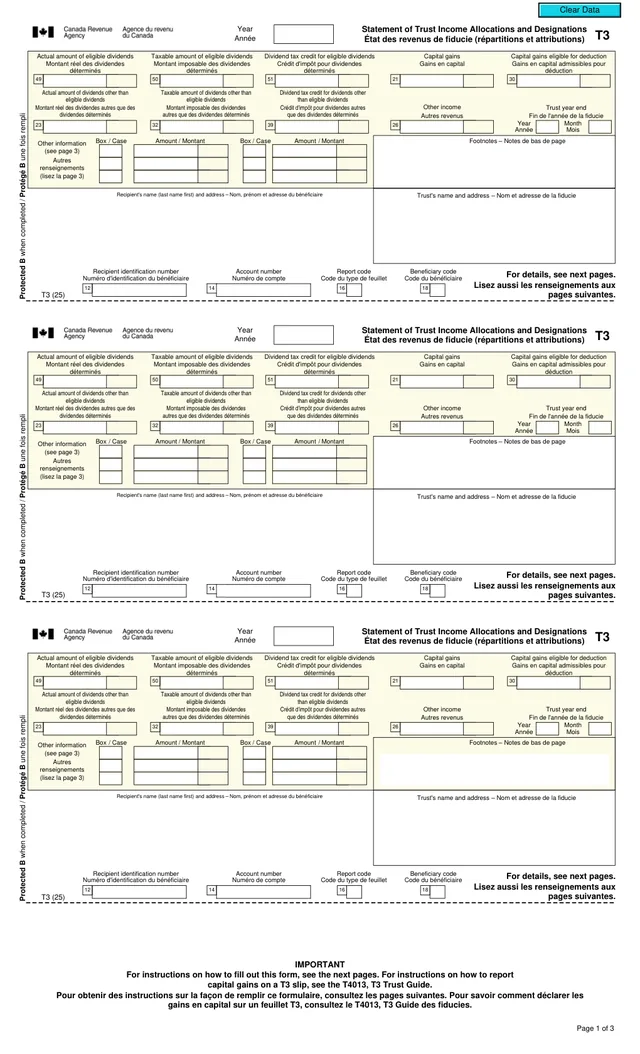
What's inside
Form content
Protected B when completed / Protégé B une fois rempli
Year
Année
Statement of Trust Income Allocations and Designations
État des revenus de fiducie (répartitions et attributions)
T3
49
Actual amount of eligible dividends
Montant réel des dividendes déterminés
50
Taxable amount of eligible dividends
Montant imposable des dividendes déterminés
51
Dividend tax credit for eligible dividends
Crédit d'impôt pour dividendes déterminés
21
Capital gains
Gains en capital
30
Capital gains eligible for deduction
Gains en capital admissibles pour déduction
23
Actual amount of dividends other than eligible dividends
Montant réel des dividendes autres que des dividendes déterminés
32
Taxable amount of dividends other than eligible dividends
Montant imposable des dividendes autres que des dividendes déterminés
39
Dividend tax credit for dividends other than eligible dividends
Crédit d'impôt pour dividendes autres que des dividendes déterminés
26
Other income
Autres revenus
Trust year end
Fin de l'année de la fiducie
Year
Année
Month
Mois
Other information
(see page 3)
Autres renseignements
(lisez la page 3)
Box / Case
Amount / Montant
Box / Case
Amount / Montant
Footnotes – Notes de bas de page
R
How to fill it
Fill or edit this form in MePDF
- Preview page 1 to confirm the form name and revision.
- Select Fill form to answer the form one page at a time.
- Type an answer for each field; checkboxes and choices use the form’s own options.
- Preview the finished pages, then download the flattened PDF.
- The downloaded copy is image-only, so it cannot be edited as a form again.
Keep the tax year and filing status consistent on every page. The editor keeps the original layout while you fill the existing fields.