What's inside
Form content
Protected B when completed / Protégé B une fois rempli
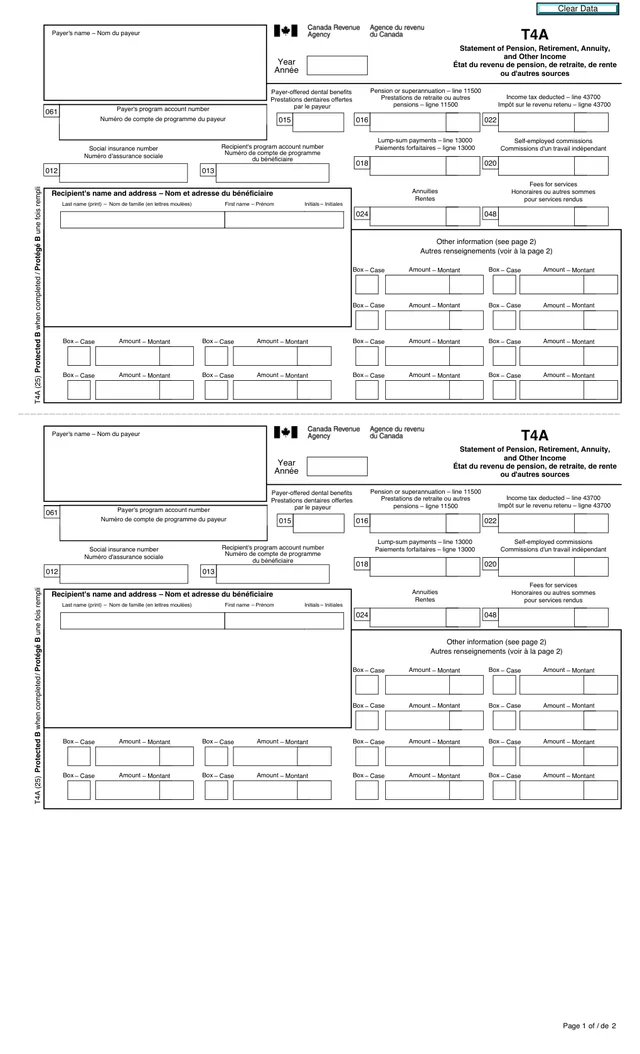
T4A
Statement of Pension, Retirement, Annuity, and Other Income
État du revenu de pension, de retraite, de rente ou d'autres sources
Payer's name – Nom du payeur
Year
Année
061
Payer's program account number
Numéro de compte de programme du payeur
016
Pension or superannuation – line 11500
Prestations de retraite ou autres pensions – ligne 11500
022
Income tax deducted – line 43700
Impôt sur le revenu retenu – ligne 43700
012
Social insurance number
Numéro d'assurance sociale
013
Recipient's program account number
Numéro de compte de programme du bénéficiaire
018
Lump-sum payments – line 13000
Paiements forfaitaires – ligne 13000
020
Self-employed commissions
Commissions d'un travail indépendant
024
Annuities
Rentes
048
Fees for services
Honoraires ou autres sommes pour services rendus
Other information (see page 2)
Autres renseignements (voir à la page 2)
Box – Case
Amount – Montant
Box – Case
Amount – Montant
Box – Case
Amount – Montant
Box – Case
Amount – Montant
Box – Case
Amount – Montant
Box – Case
Amount – Montant
Box – Case
Amount – Montant
Box – Case
Amount – Montant
Box – Case
Amount – Montant
Box – Case
Amount – Mont
How to fill it
Fill or edit this form in MePDF
- Preview page 1 to confirm the form name and revision.
- Select Fill form to answer the form one page at a time.
- Type an answer for each field; checkboxes and choices use the form’s own options.
- Preview the finished pages, then download the flattened PDF.
- The downloaded copy is image-only, so it cannot be edited as a form again.
Keep the tax year and filing status consistent on every page. The editor keeps the original layout while you fill the existing fields.