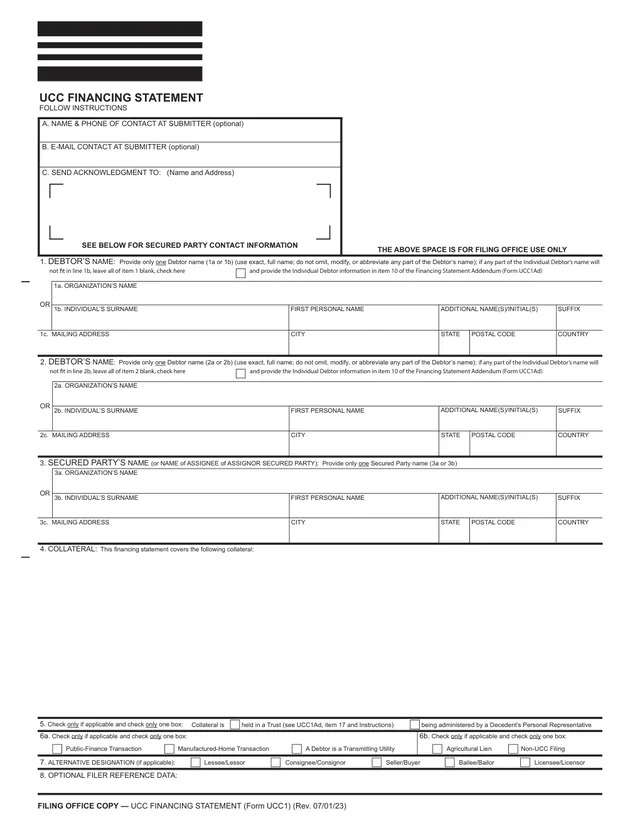
What's inside
Form content
Instructions for UCC Financing Statement (Form UCC1)
Please type or print this form. Be sure it is completely legible. Forms with handwritten entries may be rejected. Read and follow all Instructions.
Fill in form very carefully; mistakes may have important legal consequences. If you have questions, consult your attorney. The fi ling office cannot give legal advice.
Unless specifically required by applicable state law, DO NOT include social security numbers, driver’s license numbers, financial account numbers or other non-public personally identifiable information anywhere on the form.
Form instructions are intended for paper forms. Electronic UCC filing parameters and instructions may differ from the below instructions.
Send completed form and any attachments to the filing office, with the required fee.
ITEM INSTRUCTIONS
A and B. To assist fi ling offices that might wish to communicate with fi ler, filer may provide information in item A and item B. These items are optional.
C.
Complete item C if filer desires an acknowledgment sent to them.
1.
Debtor’s name. Carefully review applicable statutory guidance about providing the debtor’s name. Enter only one Debtor name in item 1 -- either an organiza
How to fill it
Fill or edit this form in MePDF
- Preview page 2 to confirm the form name and revision.
- Select Fill form to answer the form one page at a time.
- Type an answer for each field; checkboxes and choices use the form’s own options.
- Preview the finished pages, then download the flattened PDF.
- The downloaded copy is image-only, so it cannot be edited as a form again.
Copy figures exactly from the statement and keep the currency clear. The editor keeps the original layout while you fill the existing fields.